


How to Use AI Tools with Your VA for 10x Output
There is a productivity revolution happening right now, and most business owners are missing it. It is not about hiring more people. It is not about working longer hours. It is about combining two powerful forces — skilled virtual assistants and AI tools — into a workflow engine that produces ten times the output of either one alone. When a trained VA uses ChatGPT to draft content, Zapier to automate repetitive handoffs, Make to orchestrate multi-step processes, and AI analytics tools to surface insights from raw data, the results are not incremental. They are transformational.
Consider a concrete example. A marketing VA without AI tools can produce two polished blog posts per week, manage three social media accounts with daily posts, and respond to 30-40 customer emails per day. That same VA, trained on the right AI stack, produces eight to twelve blog posts per week, manages five social media accounts with multiple daily posts per platform, responds to 80-120 customer emails per day, and still has bandwidth left over for strategic projects like competitor analysis and campaign optimization. The work quality stays the same or improves because the VA is spending their time on judgment, refinement, and strategy rather than first-draft generation and manual data entry.
VA Masters has placed 1,000+ virtual assistants globally, and the data from our clients is clear: businesses that invest in AI tool training for their VAs see an average 5-10x increase in output within 90 days. Combined with up to 80% savings on labor costs compared to local hires, the AI-powered VA model delivers a return on investment that no other staffing approach can match. This guide walks you through every step — which AI tools to deploy, how to build integrated workflows, how to train your VA, and what real before-and-after results look like across different business functions.
The AI + VA Synergy: Why Both Together Outperform Either Alone
AI tools alone are powerful but incomplete. They generate impressive first drafts, but those drafts are riddled with generic phrasing, factual inaccuracies, and a complete absence of business-specific context. They automate workflows, but those workflows break when they encounter edge cases that require human judgment. They analyze data, but they cannot tell you what the data means for your specific business strategy. AI without human oversight produces a lot of output — most of it mediocre, some of it actively harmful.
Virtual assistants alone are reliable but limited by human bandwidth. A skilled VA can only type so fast, only research so many topics per day, only manage so many email threads before quality degrades. They bring judgment, context, and accountability — but they are constrained by the 8-10 productive hours in a workday. A VA without AI tools produces excellent work, just not enough of it.
The Multiplication Effect in Practice
When you combine AI speed with VA judgment, you unlock a multiplication effect. The AI handles volume — generating drafts, processing data, executing repetitive tasks at machine speed. The VA handles quality — reviewing output, correcting errors, adding context, making judgment calls, and ensuring everything aligns with your business goals. The result is output that is both high-volume and high-quality, something neither AI nor humans can achieve independently.
Here is what this looks like in numbers across key business functions:
- Content creation: VA alone produces 2 blog posts per week. AI alone produces 10 blog posts per week but most need heavy editing or are unusable. VA + AI produces 8-12 polished, publish-ready blog posts per week.
- Email management: VA alone handles 40 emails per day. AI alone handles unlimited emails but misses nuance and makes embarrassing mistakes. VA + AI handles 100-120 emails per day with appropriate tone and context.
- Data reporting: VA alone produces 2 detailed reports per week. AI alone produces instant reports but misses business context and draws wrong conclusions. VA + AI produces daily reports with accurate analysis and actionable recommendations.
- Social media: VA alone creates 5-8 posts per day. AI alone generates 50 posts per day but most are generic and off-brand. VA + AI creates 25-40 on-brand, engaging posts per day across multiple platforms.
Key Insight
The 10x productivity claim is not marketing exaggeration. It is a mathematical reality when you combine AI's processing speed (50-100x faster than manual work for drafting, data processing, and pattern recognition) with a VA's quality control (catching the 20-30% of AI output that needs correction). The net result is 5-10x more usable output than manual work alone, at equal or higher quality.
ChatGPT for Content Drafting: Before and After
Content creation is the highest-impact use case for AI-assisted VAs because the productivity gains are immediate and measurable. ChatGPT and Claude are the primary tools, and the difference between a VA who uses them well and one who does not is staggering.
Before: Traditional Content Workflow
In a traditional workflow, your VA researches the topic by reading 5-10 articles, takes notes, creates an outline, writes a first draft, edits the draft, formats for publishing, and creates meta descriptions and social excerpts. Total time for a 2,000-word blog post: 6-8 hours. Weekly output at full capacity: 2-3 posts. The quality is excellent because every word is deliberately crafted, but the volume is limited by human writing speed.
After: AI-Assisted Content Workflow
In an AI-assisted workflow, your VA provides ChatGPT with a detailed brief — target keyword, audience, tone, key points to cover, and examples of similar content you admire. ChatGPT generates a comprehensive outline in 30 seconds. The VA reviews and adjusts the outline. ChatGPT generates a first draft section by section, with the VA guiding each section. The VA then spends their time on what matters most — fact-checking, adding original insights, injecting brand voice, inserting specific examples and data that AI cannot know, and polishing the final product. Total time for a 2,000-word blog post: 1.5-2.5 hours. Weekly output: 8-12 posts. The quality is equal to or better than the manual approach because the VA's time goes into value-add work rather than blank-page writing.
The Prompt Engineering Difference
The quality of AI-assisted content depends almost entirely on prompt quality. A mediocre prompt produces mediocre output that requires extensive rewriting — saving little time. An excellent prompt produces output that is 70-80% ready for use, requiring only refinement and personalization. Here is the difference:
Mediocre prompt: "Write a blog post about email marketing tips." Result: generic, surface-level content indistinguishable from a thousand other blog posts on the same topic.
Excellent prompt: "Write a 2,000-word blog post targeting small e-commerce business owners who are currently using Mailchimp but getting low open rates (under 15%). Focus on advanced segmentation strategies, A/B testing subject lines, and optimal send time analysis. Use a conversational but authoritative tone. Include specific metric benchmarks for each strategy. Avoid generic advice like 'write good subject lines' — focus on tactical, implementation-ready strategies. Structure with an H2 for each strategy, a before/after scenario, and a quick-start checklist." Result: targeted, actionable content that needs only light editing for brand voice and specific company examples.
Training your VA to write excellent prompts is the single highest-ROI investment in the entire AI-VA relationship. A two-week prompt engineering training program pays for itself within the first month through dramatically higher output quality and reduced editing time.
Content Types Where AI + VA Excels
Not all content benefits equally from AI assistance. Here is a breakdown of where the gains are highest:
- Blog posts and articles (8-10x gain): AI handles research synthesis and first drafts. VA adds expertise, voice, and specificity.
- Email campaigns (5-8x gain): AI generates multiple variations for A/B testing. VA selects, refines, and personalizes the best options.
- Social media posts (6-10x gain): AI generates platform-specific variations from a single key message. VA curates, adjusts tone, and schedules.
- Product descriptions (10-15x gain): AI generates descriptions from feature lists. VA ensures accuracy and brand consistency.
- Video scripts (4-6x gain): AI creates structured scripts from topic outlines. VA refines for natural delivery and audience engagement.
- SEO content (8-12x gain): AI generates keyword-optimized drafts. VA ensures readability, accuracy, and genuine value beyond keyword stuffing.
See What Our Clients Have to Say
AI for Data Analysis: From Spreadsheets to Insights in Minutes
Data analysis is the second highest-impact use case for AI-assisted VAs. Most businesses sit on mountains of data in spreadsheets, CRMs, and analytics platforms but lack the bandwidth to turn that data into actionable insights. An AI-powered VA changes this equation dramatically.
ChatGPT Advanced Data Analysis
ChatGPT's Advanced Data Analysis feature (formerly Code Interpreter) allows your VA to upload spreadsheets, CSVs, and data files and then ask questions in plain English. The AI writes and executes Python code to analyze the data, generate visualizations, and surface patterns. Your VA does not need to know Python, statistics, or data science — they need to know what questions to ask and how to interpret the results for your business context.
Here is a real workflow example. A client's VA receives a monthly export of 10,000 sales transactions from Shopify. Before AI tools, the VA would spend 4-6 hours creating a manual report with basic totals, averages, and month-over-month comparisons. With ChatGPT Advanced Data Analysis, the VA uploads the file, asks a series of targeted questions ("What are the top 10 products by revenue growth rate? Which customer segments have the highest repeat purchase rate? What day of week and time of day generates the highest average order value?"), and receives complete analyses with charts in under 30 minutes. The VA then spends an hour adding business context, flagging anomalies, and writing actionable recommendations. Total time: 1.5 hours instead of 6. Quality: dramatically higher because the analysis covers dimensions that manual analysis would never get to.
AI-Powered CRM Analytics
Your VA can use AI to analyze CRM data that would otherwise sit unused. Feed your sales pipeline data into ChatGPT and your VA can identify patterns in deal velocity, conversion rates by source, seasonal trends in close rates, and leading indicators of deal success or failure. This level of analysis typically requires a dedicated data analyst at $60,000-80,000 per year. An AI-powered VA delivers comparable insights at a fraction of the cost.
Competitive Intelligence Automation
AI tools transform competitive intelligence from an occasional project into a continuous process. Your VA uses AI to monitor competitor pricing, analyze competitor content strategies, track social media sentiment, and synthesize findings into weekly intelligence briefings. Tools like Perplexity AI provide real-time web search capabilities that allow your VA to compile comprehensive competitive analyses in hours rather than days.
Pro Tip
Create a standard set of data analysis prompts for your VA — a "question bank" covering the key metrics and dimensions you care about for each data source. Your VA runs these prompts monthly against fresh data and then focuses their time on interpreting anomalies and changes rather than running the same analyses manually. Update the question bank quarterly as your business priorities evolve.
Automation Tools: Zapier, Make, and n8n
If ChatGPT is the brain of your AI-VA operation, automation tools are the nervous system. Zapier, Make (formerly Integromat), and n8n connect your business tools into automated workflows that eliminate manual handoffs, reduce errors, and free your VA to focus on high-judgment work.
What Automation Tools Do
Automation tools connect different software applications and create if-then workflows (called "Zaps" in Zapier, "Scenarios" in Make, and "Workflows" in n8n). When something happens in one tool (a trigger), the automation tool performs actions in other tools automatically. For example: when a new lead fills out a form on your website (trigger), the automation tool creates a contact in your CRM, sends a welcome email sequence, notifies your sales team in Slack, adds the lead to a Google Sheet for tracking, and assigns a follow-up task to your VA (actions). Without automation, your VA does all of these steps manually for every single lead — repetitive work that adds up to hours per day.
Zapier: The Beginner-Friendly Option
Zapier connects 6,000+ apps with a simple visual interface that requires no coding. Your VA can build basic automations within a day of training. Common VA-built Zaps include: new email attachment saved automatically to Google Drive and logged in a spreadsheet, new customer order triggers a fulfillment checklist in project management tool, social media mentions collected and summarized in a daily Slack digest, invoice sent automatically when a project status changes to "complete." Zapier costs $20-70/month for most small business use cases. The time savings typically justify the cost within the first week.
Make: The Power User's Choice
Make offers more sophisticated workflow capabilities than Zapier — branching logic, error handling, data transformation, and complex multi-step scenarios. The visual flow builder is intuitive once your VA understands the concepts. Make excels at workflows that require conditional logic: if the lead comes from Facebook, route to Sales Team A; if from Google, route to Sales Team B; if the deal value exceeds $10,000, also notify the VP of Sales. Make costs $9-30/month for most use cases and handles more complex scenarios than Zapier at a lower price point.
n8n: The Developer-Friendly Option
n8n is an open-source automation tool that can be self-hosted (free) or cloud-hosted ($20+/month). It offers the most flexibility of the three — your VA can build custom integrations, use JavaScript for data transformations, and connect to any API. n8n is best for businesses with technical VAs or developer support who need automation capabilities beyond what Zapier and Make offer. The learning curve is steeper but the ceiling is higher.
Before and After: Automation Impact on VA Workflows
Lead management without automation: VA manually checks form submissions every hour, copies data to CRM, sends welcome email, updates tracking spreadsheet, creates follow-up task. Time per lead: 8-12 minutes. VA handles 30-40 leads per day maximum.
Lead management with automation: Form submission triggers automatic CRM entry, welcome email, spreadsheet update, and task creation. VA reviews the automated entries once per day, handles exceptions and edge cases, and focuses on personal follow-up with high-value leads. Time per lead: 1-2 minutes (for review only). VA handles 150+ leads per day while focusing effort on leads that actually need human attention.
Social media management without automation: VA manually checks each platform for comments, mentions, and messages. Copies notable interactions to a report. Time: 2-3 hours per day across five platforms.
Social media management with automation: Automation tools aggregate all mentions, comments, and messages into a single dashboard. AI categorizes them by sentiment and urgency. VA reviews the prioritized feed, responds to high-priority items, and compiles a summary report automatically generated by the automation. Time: 45 minutes per day. Quality: better, because urgent items get faster responses and nothing falls through the cracks.
Automation ROI
The average VA spends 30-40% of their time on repetitive tasks that can be automated — manual data entry, copy-paste between applications, status updates, file management, and notification handling. Automating these tasks with Zapier or Make frees 12-16 hours per week of VA time for high-value work. At $10/hour, that is $480-640 per month in recaptured productivity. The automation tools cost $20-70/month. The ROI is 7-30x within the first month.
AI-Assisted Customer Service
Customer service is where the AI + VA combination delivers its most visible impact on customer satisfaction and business revenue. AI handles the volume and speed. Your VA handles the empathy, judgment, and complex problem-solving.
AI-Powered Response Drafting
Your VA uses ChatGPT or a dedicated customer service AI tool to generate response drafts for incoming tickets. The AI analyzes the customer's message, identifies the issue category, pulls relevant information from your knowledge base, and generates a contextually appropriate response. Your VA reviews the draft, personalizes it, adjusts the tone, and sends it. The result: your VA handles 3x more tickets per hour while maintaining (or improving) response quality and personalization.
Chatbot + VA Hybrid Model
Deploy an AI chatbot (built with tools like Tidio, Intercom, or Drift) for first-line customer interactions. The chatbot handles frequently asked questions, order status inquiries, basic troubleshooting, and information requests — covering up to 80% of incoming volume. Complex, emotional, or unusual issues are escalated to your VA with full conversation context. Your VA handles fewer total interactions but focuses entirely on the cases that actually need human judgment and empathy.
This hybrid model typically reduces customer service costs by 50-60% while improving response times (chatbot responds instantly to common questions) and customer satisfaction (human VA handles the difficult cases where empathy matters most).
Sentiment Analysis and Escalation
AI tools can analyze incoming customer messages for emotional tone and urgency. Angry customers, VIP accounts, and time-sensitive issues are automatically flagged and prioritized for your VA's immediate attention. This ensures that the most critical interactions get the fastest human response, while routine inquiries are handled efficiently through AI-assisted or automated responses.
Knowledge Base Management
Your VA uses AI to build and maintain a comprehensive customer service knowledge base. ChatGPT helps draft FAQ entries, troubleshooting guides, and process documentation from raw notes and support ticket patterns. The VA reviews for accuracy and completeness. Over time, the knowledge base grows to cover more scenarios, enabling both the AI chatbot and the VA to resolve issues faster with fewer escalations.
Training Your VA on AI Tools: A Step-by-Step Framework
The difference between a VA who uses AI effectively and one who does not comes down to training. A structured training program takes 4-6 weeks and transforms your VA's capabilities permanently. Here is the framework we recommend based on results from hundreds of VA Masters placements.
Week 1: Foundation — Prompt Engineering
Prompt engineering is the foundational skill that determines the quality of every AI interaction. Your VA needs to understand how to write prompts that produce useful output consistently. Key concepts to cover: providing context (who, what, why), specifying output format (bullet points, table, narrative), setting constraints (word count, tone, audience level), including examples of desired output, and iterative refinement (improving output through follow-up prompts).
Practice exercises: Have your VA write prompts for 10 different real tasks from their daily work. Compare the output from their initial prompts vs. refined prompts. The quality difference is immediately visible and motivating.
Week 2: Core Tool Proficiency — ChatGPT and Claude
Your VA should become proficient in at least one major language model, ideally both ChatGPT and Claude. Training focuses on: understanding each tool's strengths (Claude excels at nuanced analysis and long documents; ChatGPT has broader integrations and plugins), learning to validate AI output (fact-checking claims, identifying AI hallucinations, catching logical errors), and building a prompt library for recurring tasks (email templates, report structures, content frameworks).
By the end of week 2, your VA should be able to use AI to complete their regular tasks 2-3x faster with equal or better quality.
Week 3: Automation Basics — Zapier or Make
Introduce your VA to automation tools. Start with Zapier (lower learning curve) unless your workflows require Make's more advanced capabilities. Training covers: understanding triggers and actions, building basic two-step Zaps, troubleshooting common errors, and identifying manual tasks in their workflow that can be automated. Have your VA build 3-5 automations that address their most time-consuming repetitive tasks.
Week 4: Specialized Tools
Based on your VA's role, add specialized AI tools. For content VAs: Jasper for marketing copy, Canva AI for graphics, Descript for video editing. For data VAs: ChatGPT Advanced Data Analysis, Google Sheets AI features. For customer service VAs: AI response drafting tools, chatbot configuration. For administrative VAs: Otter.ai for meeting transcription, Notion AI for documentation.
Week 5-6: Workflow Integration and Optimization
The final phase integrates all tools into cohesive workflows. Your VA documents their new AI-enhanced processes as SOPs, measures the productivity gains vs. their pre-AI baseline, identifies remaining manual bottlenecks, and proposes additional automation or AI solutions. By the end of week 6, your VA should be operating at 5-10x their original output with documented, repeatable processes.
Common Mistake
Do not give your VA access to all AI tools simultaneously and expect them to figure it out. Overwhelming a VA with new tools leads to surface-level usage of everything and mastery of nothing. The sequential training approach — one tool category per week, with practice exercises and measurable milestones — produces dramatically better results than a "here are your new tools, good luck" approach.
Real Productivity Multipliers: Before and After Examples
Abstract productivity claims are easy to dismiss. Here are concrete before-and-after comparisons from real business functions, showing exactly what changes when a VA adopts AI tools.
E-Commerce Business: Product Listing Management
Before AI: VA writes product descriptions manually by researching competitor listings, identifying key features, and crafting descriptions. Time per listing: 20-30 minutes. Daily output: 15-20 listings. Monthly output: 300-400 listings.
After AI: VA feeds product specifications and photos into ChatGPT with a detailed prompt template that includes brand voice guidelines, SEO keywords, and formatting requirements. AI generates a draft description in 20 seconds. VA reviews, adjusts, and adds unique selling points. Time per listing: 5-8 minutes. Daily output: 50-80 listings. Monthly output: 1,000-1,600 listings. Productivity gain: 4x.
Marketing Agency: Client Reporting
Before AI: VA manually pulls data from Google Analytics, Facebook Ads Manager, Google Ads, and email marketing platform. Copies data into a report template. Calculates month-over-month changes. Writes summary paragraphs. Time per client report: 3-4 hours. Reports per week: 8-10.
After AI: Zapier pulls data from all platforms into a consolidated spreadsheet automatically (runs daily). VA feeds the data into ChatGPT Advanced Data Analysis for trend analysis and visualization. AI generates the narrative summary. VA reviews for accuracy, adds strategic recommendations, and personalizes for each client. Time per client report: 45 minutes. Reports per week: 25-30. Productivity gain: 3-4x.
Real Estate Team: Lead Follow-Up
Before AI: VA manually reviews new leads, researches property preferences, drafts personalized follow-up emails, updates CRM, schedules follow-up tasks. Time per lead: 15-20 minutes. Leads handled per day: 20-25.
After AI: Make automation captures new leads, enriches data from public records, updates CRM, and triggers initial automated follow-up sequence. AI drafts personalized follow-up emails based on lead preferences and behavior. VA reviews AI-drafted communications, personalizes high-value leads, handles phone calls and complex inquiries. Time per lead: 3-5 minutes average. Leads handled per day: 80-100. Productivity gain: 4-5x.
SaaS Company: Customer Onboarding
Before AI: VA sends welcome email, schedules onboarding call, prepares account setup documents, creates training materials, follows up after each milestone. Time per new customer: 2-3 hours across the first week.
After AI: Zapier triggers automated welcome sequence, account setup, and scheduling. AI generates personalized training materials based on the customer's use case and plan tier. VA focuses on the onboarding call itself and handles questions or issues that arise. Time per new customer: 45 minutes across the first week. Productivity gain: 3-4x.
Building Your AI Tool Stack
Not every business needs every AI tool. Here are three recommended stacks based on budget and complexity.
Starter Stack: $50-80/Month
Best for: solopreneurs and small businesses with one VA. Tools: ChatGPT Plus ($20/month), Canva Pro ($13/month), Zapier Starter ($20/month). This covers content creation, visual design, and basic automation. Expected productivity gain: 3-5x on content and administrative tasks. Your VA can be fully productive with this stack within 2 weeks of training.
Growth Stack: $150-250/Month
Best for: growing businesses with 1-3 VAs handling diverse functions. Tools: ChatGPT Plus ($20), Claude Pro ($20), Canva Pro ($13), Zapier Professional ($50), Make Core ($10), Jasper Creator ($40), Otter.ai Business ($17). This covers content, automation, meeting management, and marketing. Expected productivity gain: 5-8x across all VA functions.
Enterprise Stack: $300-500/Month
Best for: agencies and companies with 3+ VAs and complex workflows. Tools: all Growth Stack tools plus n8n Cloud ($20+), Descript Business ($24), Midjourney ($30), Notion AI ($10/user), Perplexity Pro ($20), specialized industry tools. This covers every function at maximum capability. Expected productivity gain: 8-12x with full workflow automation.
Important: the AI tool costs are per-team, not per-VA. A $200/month tool stack shared across 3 VAs adds less than $0.50/hour to each VA's effective rate — a trivial cost relative to the productivity gains.
Cost and Pricing
AI-skilled virtual assistants through VA Masters represent exceptional value when you compare total productivity per dollar spent. You get the benefit of skilled human judgment combined with AI-powered speed — at a fraction of the cost of hiring locally.
At $8-14 per hour, an AI-trained VA through VA Masters produces output equivalent to 2-3 local employees at $25-45 per hour each. The math is compelling: a full-time AI-powered VA at $12/hour costs approximately $2,000/month. Add $100-200/month for AI tools. Total investment: $2,100-2,200/month. The equivalent output from local hires would cost $8,000-15,000/month in salary alone, plus benefits, office space, equipment, and management overhead. That represents up to 80% savings with no reduction in output quality or volume.
The VA Masters pricing includes our rigorous 6-stage vetting process, which now evaluates candidates on AI tool proficiency alongside traditional skills. We specifically test for prompt engineering aptitude, tool adaptability, and the judgment skills that make AI-assisted work reliable and professional.

Since working with VA Masters, my productivity as CTO at a fintech company has drastically improved. Hiring an Administrative QA Virtual Assistant has been a game-changer. They handle everything from detailed testing of our application to managing tasks in ClickUp, keeping our R&D team organized and on schedule. They also create clear documentation, ensuring our team and clients are always aligned.The biggest impact has been the proactive communication and initiative—they don’t just follow instructions but actively suggest improvements and catch issues before they escalate. I no longer have to worry about scheduling or follow-ups, which lets me focus on strategic decisions. It’s amazing how smoothly everything runs without the usual HR headaches.This has saved us significant costs compared to local hires while maintaining top-notch quality. I highly recommend this solution to any tech leader looking to scale efficiently.
Detailed Job Posting
Custom job description tailored to your specific needs and requirements.
Candidate Collection
1,000+ applications per role from our extensive talent network.
Initial Screening
Internet speed, English proficiency, and experience verification.
Custom Skills Test
Real job task simulation designed specifically for your role.
In-Depth Interview
Culture fit assessment and communication evaluation.
Client Interview
We present 2-3 top candidates for your final selection.
Have Questions or Ready to Get Started?
Our team is ready to help you find the perfect match.
Get in Touch →Common Mistakes to Avoid
The AI + VA combination is powerful, but there are common mistakes that undermine results. Avoid these to maximize your return on investment.
Mistake 1: Skipping the Training Phase
Giving your VA AI tool access without structured training is like giving someone a professional kitchen without cooking lessons. They will produce something, but it will not be what you want. Invest 4-6 weeks in proper training. The productivity gains compound over months and years — a few weeks of training time is trivial compared to the long-term return.
Mistake 2: No Quality Control Process
AI tools produce confident-sounding output that is sometimes completely wrong. Without a quality control process, AI hallucinations, factual errors, and tone-deaf content reach your customers and damage your brand. Establish clear review checkpoints: every piece of AI-assisted content must be fact-checked by the VA before publication, every automated workflow must have exception handling, and every AI-generated communication must pass a brand voice review.
Mistake 3: Automating Everything at Once
Trying to automate every workflow simultaneously leads to fragile, poorly-understood systems that break constantly. Start with the highest-impact, simplest workflows. Get them running reliably. Then add complexity incrementally. A VA who manages 5 reliable automations is infinitely more valuable than one who manages 20 broken ones.
Mistake 4: Using AI for Tasks That Need Human Judgment
Not every task should be AI-assisted. Sensitive customer escalations, strategic planning, relationship management, and nuanced decision-making are worse when AI is involved, not better. Use AI to free your VA's time for these high-judgment tasks — do not use AI to replace the judgment itself.
Mistake 5: Ignoring Data Security
When your VA uploads business data to AI tools, that data is being processed by third-party servers. Establish clear policies about what data can and cannot be processed through AI tools. Customer personal information, financial data, proprietary business information, and anything covered by NDAs or regulatory requirements should be handled with appropriate caution. Use enterprise-grade AI tools with data privacy guarantees for sensitive information.
Scaling AI-VA Operations
Once your first VA is operating at AI-enhanced productivity, the natural question is how to scale. Here are the models that work best.
The Hub-and-Spoke Model
Your first AI-trained VA becomes the hub — responsible for building and maintaining automation workflows, developing prompt libraries, and training new VAs on AI tools. Additional VAs are spokes who focus on specific functional areas (content, customer service, data, admin) using the workflows and tools the hub VA has established. This model scales efficiently because each new VA inherits a mature AI workflow rather than building from scratch.
The Specialist Team Model
Each VA specializes in a different AI-enhanced function: one for content (ChatGPT + Jasper + Canva), one for data and reporting (ChatGPT Advanced Data Analysis + automation tools), one for customer service (AI chatbot + response drafting), one for operations (Zapier + Make + project management). Specialization allows deeper tool expertise and higher output quality within each function.
Process Documentation Is Critical
As you scale, the most important asset is your documented AI-enhanced SOPs. Every workflow, prompt template, automation configuration, and quality control checklist must be documented so that new VAs can reach full productivity quickly. Your hub VA or a dedicated process VA should maintain and update this documentation continuously. Without it, scaling creates chaos rather than capacity.
Scaling Checklist
Before adding a second AI-trained VA, ensure you have: (1) documented SOPs for all AI-enhanced workflows, (2) a shared prompt library accessible to all VAs, (3) automation tools on team-accessible plans, (4) clear quality control checkpoints for all AI-assisted output, and (5) a training plan that new VAs can follow independently with the hub VA's oversight. These foundations make the difference between chaotic scaling and efficient scaling.
| Feature | VA MASTERS | Others |
|---|---|---|
| Custom Skills Testing | ✓ | ✗ |
| Dedicated Account Manager | ✓ | ✗ |
| Ongoing Training & Support | ✓ | ✗ |
| SOP Development | ✓ | ✗ |
| Replacement Guarantee | ✓ | ~ |
| Performance Reviews | ✓ | ✗ |
| No Upfront Fees | ✓ | ✗ |
| Transparent Pricing | ✓ | ~ |
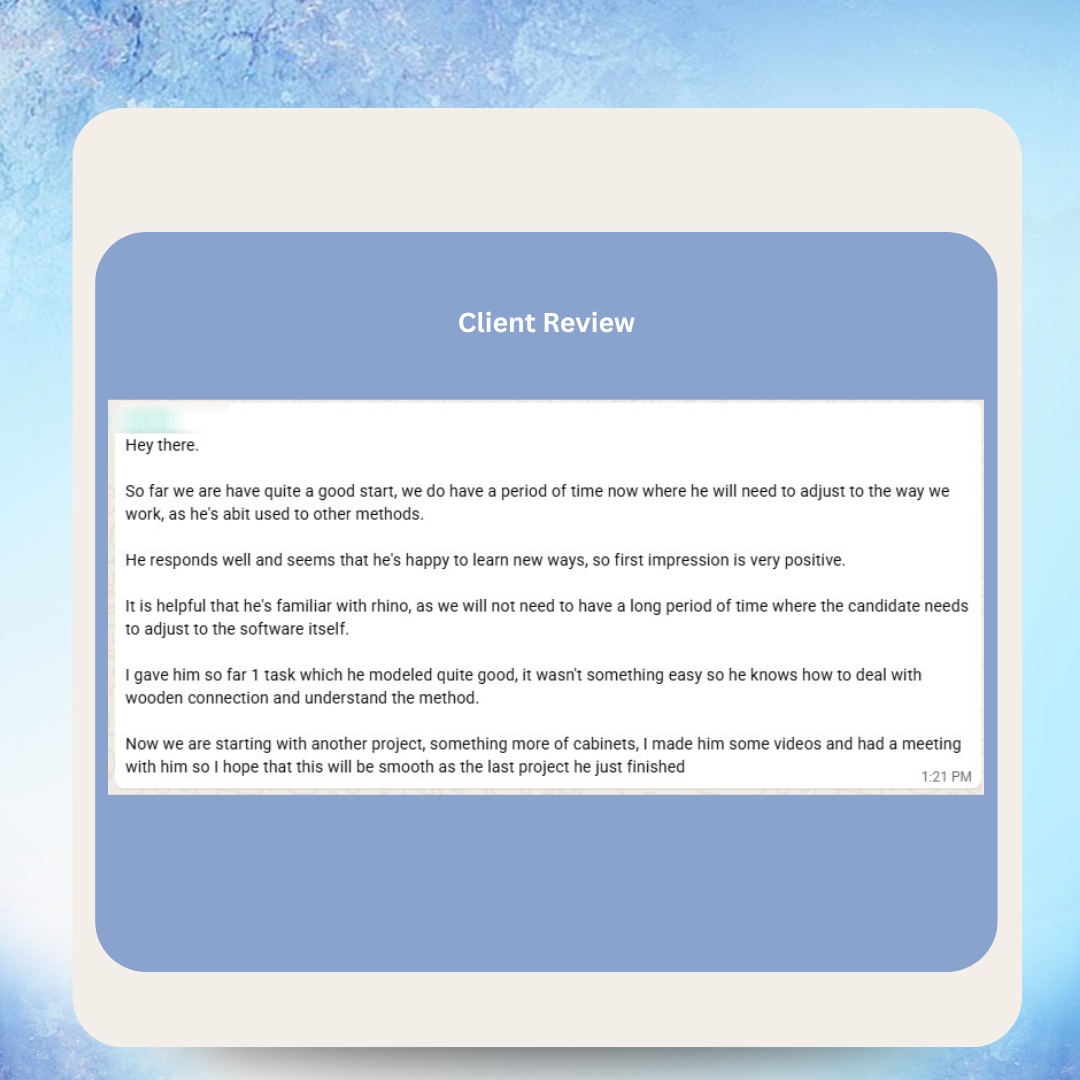
What Our Clients Say





Real Messages from Real Clients


Hear From Our VAs



As Featured In






Frequently Asked Questions
What AI tools should my VA learn first for maximum productivity gains?
Start with ChatGPT Plus ($20/month) for content drafting, email management, data analysis, and research — it covers up to 80% of AI-enhanced VA tasks. Add Zapier ($20/month) for automating repetitive workflows between your business tools. Then add Canva Pro ($13/month) for visual content. This $53/month starter stack delivers 3-5x productivity gains within the first month. Expand to specialized tools like Claude, Make, Jasper, or Descript based on your VA's specific role.
How long does it take to train a VA on AI tools?
A structured training program takes 4-6 weeks for full proficiency. Week 1 covers prompt engineering fundamentals. Week 2 builds proficiency in ChatGPT and Claude. Week 3 introduces automation tools like Zapier or Make. Week 4 adds role-specific specialized tools. Weeks 5-6 focus on workflow integration and optimization. However, your VA starts producing measurably higher output by the end of week 2 — you do not have to wait for full training completion to see results.
Will AI tools produce content that sounds robotic or generic?
Raw AI output often sounds generic. That is exactly why the VA's role is critical — they review, edit, and personalize all AI-generated content before it reaches your audience. A trained VA with good prompt engineering skills gets AI to produce output that is 70-80% ready, then adds brand voice, specific examples, fact-checking, and original insights. The final product is indistinguishable from manually crafted content but produced 3-5x faster.
How much does the full AI tool stack cost on top of the VA's hourly rate?
A starter stack costs $50-80/month (ChatGPT Plus, Canva Pro, Zapier Starter). A growth stack costs $150-250/month adding Claude, Make, Jasper, and Otter.ai. An enterprise stack costs $300-500/month for maximum capability. These are per-team costs, not per-VA. For a full-time VA, even the enterprise stack adds less than $3/hour to the effective rate — a trivial cost when output increases 5-10x.
Can a VA really replace a data analyst using AI tools?
For most small and mid-size businesses, yes. ChatGPT's Advanced Data Analysis feature allows your VA to upload spreadsheets and data files, ask questions in plain English, and receive complete analyses with visualizations. Your VA does not need to know Python or statistics — they need to know what business questions to ask and how to interpret the results in your specific context. For enterprise-level statistical modeling or machine learning, you still need a specialist. For business intelligence and reporting, an AI-powered VA delivers 80-90% of the value at a fraction of the cost.
What tasks should NOT be handled by AI even with VA oversight?
Sensitive customer escalations requiring genuine empathy, strategic business decisions, legal and compliance matters, financial approvals, communications with high-profile clients or partners, and any situation where a factual error could cause significant harm. AI should generate drafts and options — your VA applies judgment for final decisions. The rule of thumb: if getting it wrong has serious consequences, keep the human in full control rather than using AI as a starting point.
How do I measure whether my AI-VA investment is working?
Track four metrics: (1) Output volume — tasks or deliverables completed per week, before and after AI tools. (2) Time per task — how long each task type takes, before and after. (3) Quality score — using your existing standards, rate output quality monthly. (4) Cost per deliverable — total VA cost plus AI tool costs divided by number of deliverables. Most clients see 3-5x output gains in month one, reaching 8-10x by month three. Cost per deliverable typically drops 60-80%.
Is it safe to let my VA use AI tools with sensitive business data?
Enterprise-grade AI tools like ChatGPT Enterprise and Claude for Business offer data privacy guarantees — your data is not used for training and is encrypted in transit and at rest. For standard consumer plans, establish clear policies: no customer personal information, no financial data, no proprietary formulas or trade secrets should be processed through consumer AI tools. Use enterprise plans for sensitive data and consumer plans for general content creation and research tasks.
What is the difference between Zapier, Make, and n8n for automation?
Zapier is the most beginner-friendly — 6,000+ app integrations, simple interface, most VAs are productive within a day. Best for straightforward automations. Make (formerly Integromat) offers more powerful logic — branching, loops, error handling — at a lower price point. Best for complex workflows. n8n is open-source and developer-friendly — maximum flexibility but steeper learning curve. Best for technical teams. Start with Zapier, graduate to Make as your needs grow, use n8n only if you need custom integrations.
How does VA Masters ensure VAs are proficient with AI tools?
VA Masters evaluates AI readiness as part of our 6-stage vetting process. We test candidates on prompt engineering aptitude, tool adaptability, critical thinking (essential for validating AI output), and learning velocity. We can match you with VAs who already have experience with specific AI tools or who demonstrate exceptional aptitude for rapid tool adoption. Our placement support includes AI tool onboarding guidance to help your VA reach full AI-enhanced productivity as quickly as possible.
Ready to Get Started?
Join 500+ businesses who trust VA Masters with their teams.
- No upfront payment required
- No setup fees
- Only pay when you are 100% satisfied with your VA

Anne is the Operations Manager at VA MASTERS, a recruitment agency specializing in Filipino virtual assistants for global businesses. She leads the end-to-end recruitment process — from custom job briefs and skills testing to candidate delivery and ongoing VA management — and has personally overseen the placement of 1,000+ virtual assistants across industries including e-commerce, real estate, healthcare, fintech, digital marketing, and legal services.
With deep expertise in Philippine work culture, remote team integration, and business process optimization, Anne helps clients achieve up to 80% cost savings compared to local hiring while maintaining top-tier quality and performance.
Email: [email protected]
Telephone: +13127660301












