


Automation Expert Virtual Assistant: Zapier, Make & Workflow Design
An automation expert virtual assistant designs, builds, and maintains automated workflows that connect your business tools — eliminating repetitive manual tasks across your CRM, email marketing, project management, e-commerce, and operations platforms. Using tools like Zapier, Make (formerly Integromat), and n8n, they create the integrations that let your systems talk to each other, saving 20+ hours per week of manual data entry, copy-pasting, and process management. At VA MASTERS, we’ve placed 1,000+ virtual assistants for businesses worldwide, including automation specialists who transform fragmented tech stacks into connected, self-running operations.
Here’s what most businesses don’t realize: you’re already paying for automation — in wasted human hours. Every time someone manually enters a lead from a form into your CRM, copies an order into a spreadsheet, sends a follow-up email after a meeting, or updates a project board based on a Slack message — that’s automation waiting to happen. A skilled automation VA doesn’t just “set up Zaps.” They audit your entire operational workflow, identify every repetitive handoff, and build reliable systems that run 24/7 without human intervention.
What an Automation Expert VA Does
An automation expert VA goes far beyond connecting two apps. They function as your in-house workflow architect — auditing your processes, identifying automation opportunities, designing multi-step workflows, building and testing them, monitoring for errors, and continuously optimizing as your tools and business evolve.
The key distinction: a general VA performs repetitive tasks manually. An automation VA eliminates those tasks entirely by building systems that run without human input. Instead of hiring three people to manage data entry, email follow-ups, and report generation, you hire one automation specialist who builds workflows that handle all three — permanently.
Key Takeaway
At VA MASTERS, we’ve placed automation VAs who save businesses 20-40 hours per week by building workflows that replace manual processes. Our 6-stage recruitment process includes custom skills tests where candidates design actual multi-step automations, troubleshoot broken workflows, and demonstrate proficiency with API integrations — not just basic app connections.
Core Responsibilities
| Responsibility | What It Involves | Business Impact |
|---|---|---|
| Workflow audit & mapping | Documenting current processes, identifying manual handoffs, repetitive data entry, and copy-paste tasks across your tech stack | Creates a prioritized automation roadmap based on time savings and error reduction |
| Workflow design & building | Creating multi-step automations with conditional logic, filters, paths, error handling, and data transformations | Eliminates 20-40+ hours/week of manual work across departments |
| Integration management | Connecting CRM, email, PM, accounting, e-commerce, and communication tools — including webhook and API-based integrations | Unified data flow across all platforms; no more data silos |
| Testing & troubleshooting | End-to-end testing of every workflow, error monitoring, fixing broken Zaps/scenarios, handling edge cases | Reliable automations that run 24/7 without data loss or failures |
| Optimization & maintenance | Monitoring automation performance, reducing task/operation usage, updating workflows for new features or platform changes | Lower platform costs, fewer errors, continuous improvement |
| Documentation & training | Creating workflow documentation, SOPs for team members, and training materials for handoff | Business continuity; automations aren’t locked in one person’s head |
Automation Platforms: Zapier vs Make vs n8n
Your automation VA should be proficient across the major no-code automation platforms. Each has strengths, and many businesses use a combination. Here’s how they compare:
| Feature | Zapier | Make (Integromat) | n8n |
|---|---|---|---|
| App integrations | 8,000+ native apps | 2,000+ apps | 400+ built-in + custom nodes |
| Best for | Speed and simplicity; widest app ecosystem | Complex, visual workflows with data transformations | Self-hosted, developer-oriented; maximum customization |
| Pricing model | Per-task pricing | Per-operation pricing (more cost-effective for high-volume) | Free self-hosted; paid cloud option |
| Complexity handling | Good — paths, filters, formatters, code steps | Excellent — routers, iterators, aggregators, advanced data mapping | Excellent — full code access, custom functions, webhooks |
| Error handling | Basic retry + error notifications | Advanced — custom error routes, retry logic, fallback paths | Full — custom error workflows, conditional retries |
| Learning curve | Low — most intuitive interface | Medium — visual builder but more complex concepts | Higher — requires some technical comfort |
| API/webhook support | Yes — webhooks, custom API calls | Yes — HTTP module, webhooks, custom APIs | Yes — full HTTP, webhooks, custom code nodes |
Pro Tip
Most businesses start with Zapier for its simplicity and app ecosystem, then add Make for complex, high-volume workflows where Zapier becomes expensive, and n8n for self-hosted workflows requiring maximum control. A skilled automation VA knows which platform to use for each workflow — optimizing both functionality and cost.
See How VA MASTERS Finds Technical Automation Talent
High-Impact Automation Workflows
Lead Management & Sales
| Workflow | Trigger → Actions | Time Saved |
|---|---|---|
| Lead capture to CRM | Form submission → Create CRM contact → Tag/segment → Assign to sales rep → Send welcome email → Notify rep in Slack | 2-3 min per lead × hundreds/month |
| Lead scoring & routing | New lead → Enrich data → Score based on criteria → Route high-value to senior rep → Route others to nurture sequence | Eliminates manual lead review |
| Follow-up sequences | Demo completed → Wait 24hrs → Send follow-up email → Wait 3 days → If no reply → Send second follow-up → Notify rep | 100% follow-up consistency |
| Deal stage updates | Deal moves stage → Update project board → Send internal notification → Schedule next action → Log activity | Removes manual pipeline maintenance |
Operations & Administration
| Workflow | Trigger → Actions | Time Saved |
|---|---|---|
| Client onboarding | Contract signed → Create client folder → Send welcome packet → Add to PM board → Schedule kickoff → Grant tool access | 30-60 min per new client |
| Invoice processing | Time logged → Generate invoice → Send to client → Track payment → Follow up on overdue → Update accounting | 1-2 hrs/week on billing |
| Reporting dashboards | Scheduled trigger → Pull data from multiple sources → Compile into spreadsheet/dashboard → Email to stakeholders | Eliminates manual report creation |
| Employee onboarding | New hire added → Create accounts → Send equipment request → Schedule trainings → Add to Slack channels → Assign tasks | 2-3 hrs per new hire |
Marketing & Content
| Workflow | Trigger → Actions |
|---|---|
| Content publishing | Blog published → Share on social media (scheduled) → Email subscribers → Update content calendar → Log analytics |
| Review collection | Project completed → Wait 7 days → Send review request → If positive → Ask for G2/Trustpilot review → Add to testimonials |
| Webinar management | Registration → Add to email sequence → Send reminders → After event → Send recording → Add to CRM → Follow up |
| Social listening | Brand mention detected → Categorize sentiment → Route positive to marketing → Route negative to support → Log all |
Connected Tools & Integrations
| Category | Popular Tools |
|---|---|
| CRM & sales | HubSpot, Salesforce, Pipedrive, Close, GoHighLevel |
| Email marketing | ActiveCampaign, Mailchimp, ConvertKit, Drip, Klaviyo |
| Project management | Monday.com, Airtable, Asana, ClickUp, Notion |
| E-commerce | Shopify, WooCommerce, Amazon, Stripe, PayPal |
| Communication | Slack, Gmail, Microsoft Teams, Twilio, WhatsApp Business |
| Accounting | QuickBooks, Xero, FreshBooks, Wave |
| Forms & data | Typeform, JotForm, Google Forms, Google Sheets, Airtable |
| Automation platforms | Zapier, Make, n8n |
Benefits for Your Business
Eliminate 20-40+ Hours/Week of Manual Work
Every form-to-CRM entry, every follow-up email, every report compilation, every cross-platform data update — automated. Your team stops doing data entry and starts doing strategy. Across departments, automation typically recovers 20-40 hours of human labor per week.
Zero Human Error in Data Transfer
Manual data entry has a 1-4% error rate. Automated workflows have a 0% error rate for data transfer. When your CRM, accounting, PM, and marketing tools sync automatically, every record matches, every number is accurate, and nothing falls through the cracks.
Scale Operations Without Scaling Headcount
The workflows your automation VA builds handle 10 leads or 10,000 with the same reliability. As your business grows, your automations grow with it — without needing proportionally more people to manage the increased volume.
24/7 Process Execution
Automations run around the clock. A lead that fills out your form at 2 AM receives an instant welcome email, gets added to your CRM, and triggers a nurture sequence — all before anyone on your team wakes up.
Lower Platform Costs Through Optimization
A skilled automation VA optimizes your workflows to use fewer tasks/operations, strategically selects which platform handles each workflow, and eliminates redundant automations — often reducing your automation platform costs by 30-50%.
How Much Does an Automation VA Cost?
An automation expert virtual assistant through VA MASTERS costs $8.50-$16.00 per hour depending on technical complexity. Basic workflow building starts at $8.50/hr, while advanced API integrations and complex multi-platform orchestration range $12-$16/hr.
| Hiring Option | Typical Cost | Notes |
|---|---|---|
| US-based automation consultant | $75-$150/hour | Project-based; expensive for ongoing maintenance |
| Upwork Zapier freelancer | $25-$75/hour | Per-project; no dedicated availability |
| Zapier certified expert (agency) | $5,000-$15,000/project | One-time setup; ongoing maintenance separate |
| VA MASTERS automation VA | $8.50-$16/hour | Dedicated, full-time, builds AND maintains your automations |
Without an Automation VA
- Team members manually entering data across 5+ platforms
- Follow-up emails forgotten or sent days late
- Reports manually compiled every week from multiple sources
- New client onboarding takes 2 hours of manual setup
- Data inconsistencies between CRM, email, and accounting
- No visibility into where leads drop off in the funnel
With a VA MASTERS Automation VA
- Data flows automatically between all platforms — zero manual entry
- Every follow-up sent on time, every time — 100% consistency
- Dashboards update in real-time from connected data sources
- New client onboarding runs in 5 minutes via automated workflow
- Single source of truth across all business tools
- Full funnel visibility with automated tracking and alerts

I no longer have to worry about scheduling or follow-ups. VA Masters found someone who automated our entire operations pipeline — freeing me to focus on strategic decisions that actually move the needle.
How to Hire an Automation VA with VA MASTERS
Workflow Discovery
We map your tech stack, current manual processes, automation platforms in use, and the specific workflows that would create the most impact.
Candidate Collection
We source from 1,000+ applicants, targeting candidates with Zapier, Make, and/or n8n experience plus relevant industry background.
Initial Screening
English fluency, technical aptitude, internet reliability, and automation platform proficiency verified.
Custom Skills Test
Real automation tasks: designing a multi-step workflow from a business scenario, troubleshooting a broken automation, working with webhooks/APIs, and optimizing workflow logic.
In-Depth Interview
Problem-solving approach, ability to think in systems, communication clarity, and proactive process improvement assessed. 15-20 remain from initial pool.
Team Interview
You meet the top 2-3 candidates, walk them through your current processes, and choose your automation specialist.
Ready to Automate Your Business Operations?
Our automation VAs are building Zapier, Make, and n8n workflows for businesses worldwide. Let us find the workflow specialist who eliminates your manual bottlenecks.
Get in Touch →Common Mistakes to Avoid
Mistake #1: Automating Broken Processes
If your process doesn’t work well manually, automating it just makes the failure faster and more consistent. Fix the process first, then automate. Your VA should audit and optimize processes before building workflows — not just replicate your current chaos digitally.
Mistake #2: No Error Handling Built In
Every automation can fail — APIs go down, data formats change, rate limits hit. Without error handling, broken workflows silently lose data. Your VA should build error notifications, retry logic, and fallback paths into every critical workflow.
Mistake #3: Automating Everything at Once
Start with the 3-5 workflows that save the most time and are most reliable. Get those running perfectly, then expand. Trying to automate 50 processes simultaneously creates a maintenance nightmare and cascading failures.
Mistake #4: No Documentation
If your automation VA leaves and nothing is documented, you’re stuck with workflows nobody understands. Require documentation for every automation: what it does, why it exists, what triggers it, what to check if it breaks, and how to modify it.
Mistake #5: Ignoring Platform Costs
Zapier and Make charge per task/operation. Poorly designed workflows waste operations on unnecessary steps. Your VA should optimize every workflow for cost efficiency — using filters to prevent unnecessary triggers, batching operations, and choosing the right platform for high-volume workflows.
| Feature | VA MASTERS | Other VA Agencies |
|---|---|---|
| Custom automation skills test | ✓ | ✗ |
| 6-stage recruitment process | ✓ | ✗ |
| Multi-platform expertise (Zapier + Make + n8n) | ✓ | ✗ |
| Dedicated full-time VA (not shared) | ✓ | ✗ |
| Ongoing support & training | ✓ | ✗ |
| Replacement guarantee | ✓ | ✗ |
| Candidates within 2 business days | ✓ | ✗ |
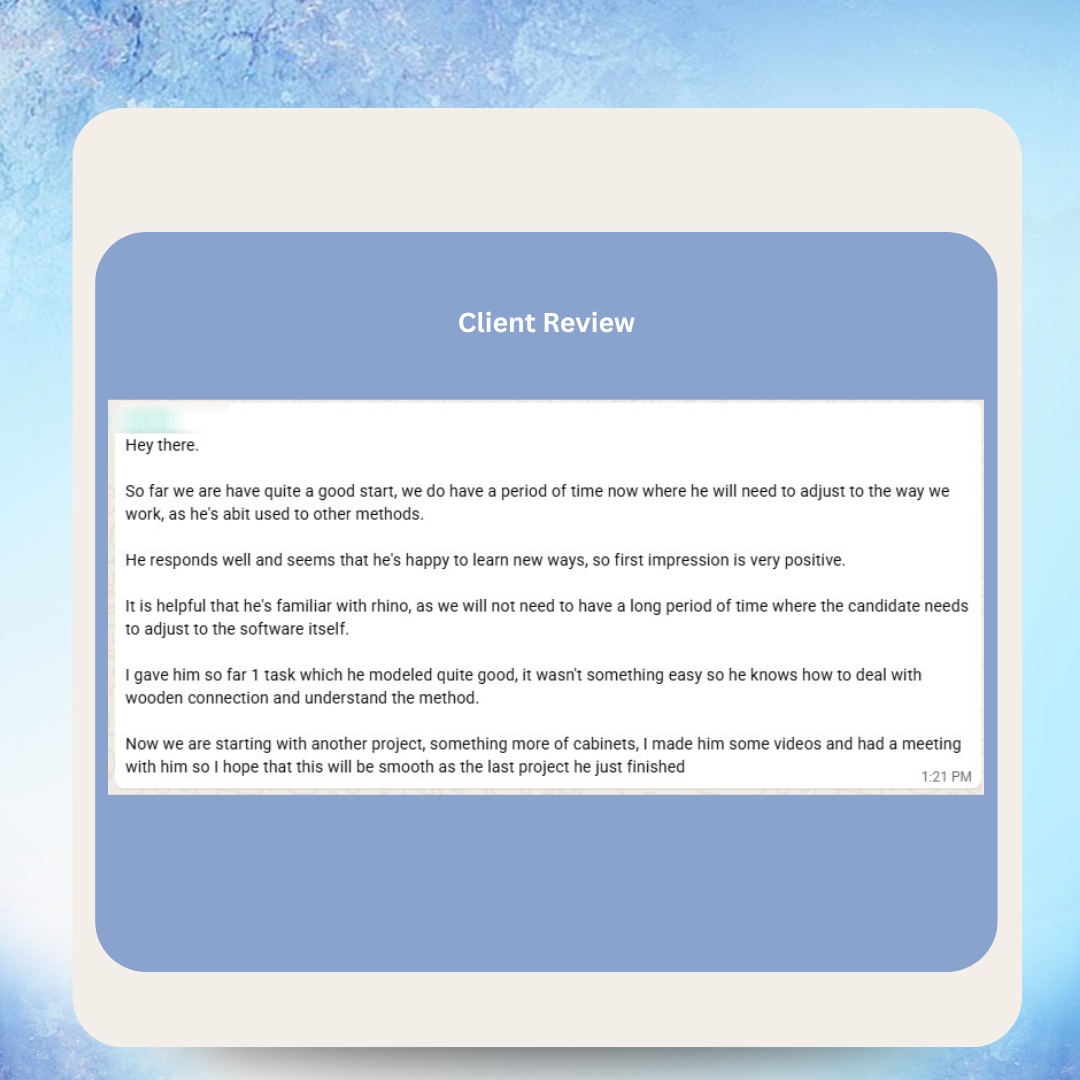
What Our Clients Say



Real Messages from Real Clients


Happy VAs Build Better Automations



As Featured In








Frequently Asked Questions
What does an automation expert VA do?
They audit your business processes, design automated workflows in Zapier/Make/n8n, build multi-step integrations between your tools, test and troubleshoot automations, monitor for errors, optimize for cost and performance, and document everything for business continuity.
How much does an automation VA cost?
Through VA MASTERS, $8.50-$16/hr depending on technical complexity. This compares to $75-$150/hr for US-based automation consultants or $5,000-$15,000 per project from certified agencies.
Which automation platform should I use?
Zapier for simplicity and the widest app ecosystem (8,000+ apps). Make for complex, high-volume workflows where cost efficiency matters. n8n for self-hosted workflows requiring maximum customization. Most businesses benefit from a combination.
How many hours can automation save per week?
Typically 20-40+ hours across a team, depending on how many manual processes exist. Lead management, client onboarding, reporting, follow-ups, and data synchronization are the highest-impact areas.
Can a VA build custom API integrations?
Yes. Advanced automation VAs work with webhooks, custom API calls, JSON data, and code steps (JavaScript/Python) for integrations that go beyond standard app connections.
What if an automation breaks?
Your VA builds error handling into every workflow — notifications, retry logic, and fallback paths. They also monitor automation logs daily and fix issues before they impact your operations.
Can automation replace team members?
Automation replaces repetitive tasks, not people. It frees your team to focus on strategy, relationship building, and creative work that can’t be automated. Most businesses redirect saved hours into growth activities.
How long does it take to set up automations?
Simple workflows (form → CRM → email) take hours. Complex multi-platform orchestrations take 1-2 weeks. A full business automation audit and implementation typically takes 4-8 weeks to complete and stabilize.
Do I need technical knowledge to work with an automation VA?
No. Your VA translates your business needs into technical workflows. You describe what you want to happen (“when a lead fills out the form, I want them added to HubSpot and emailed within 5 minutes”), and your VA builds it.
How quickly can I hire an automation VA?
VA MASTERS presents 2-3 pre-vetted candidates within 2 business days. Each has passed a custom automation skills test. Most businesses have their first workflows running within 2 weeks.
Ready to Stop Paying for Manual Work?
Every repetitive task your team does manually is costing you time, money, and accuracy. An automation expert VA from VA MASTERS builds the workflows that run your business 24/7 — so your team focuses on growth, not data entry.
- No upfront payment required
- Custom automation skills test for every candidate
- Multi-platform expertise: Zapier, Make & n8n
- Ongoing support, training, and replacement guarantee

Anne is the Operations Manager at VA MASTERS, a recruitment agency specializing in Filipino virtual assistants for global businesses. She leads the end-to-end recruitment process — from custom job briefs and skills testing to candidate delivery and ongoing VA management — and has personally overseen the placement of 1,000+ virtual assistants across industries including e-commerce, real estate, healthcare, fintech, digital marketing, and legal services.
With deep expertise in Philippine work culture, remote team integration, and business process optimization, Anne helps clients achieve up to 80% cost savings compared to local hiring while maintaining top-tier quality and performance.
Email: [email protected]
Telephone: +13127660301














