


ClickUp Virtual Assistant: Project Management, Workflows & Operations Support
ClickUp is one of the most powerful project management platforms available — and one of the most underutilized. Most teams set it up, add a few tasks, and then revert to Slack threads and email chains for the actual work because nobody has the time to maintain the system properly. A ClickUp virtual assistant solves this at the source: a dedicated professional who builds, manages, and maintains your ClickUp workspace so your team can actually use it as the operational backbone it was designed to be.
At VA MASTERS, we’ve placed 1,000+ Filipino virtual assistants with global businesses — including ClickUp specialists who build custom workspaces, manage project pipelines, coordinate team tasks, and maintain the operational systems that keep growing businesses running smoothly. This guide covers everything you need to know before you hire.
What Is a ClickUp Virtual Assistant?
A ClickUp virtual assistant is a remote professional who builds, manages, and maintains your ClickUp workspace — creating the project structures, task hierarchies, automation rules, dashboards, and workflows that turn ClickUp from an expensive to-do list into a genuine operational system. They keep your projects on track, your team’s tasks organized, your documentation current, and your leadership team with real-time visibility into what’s happening across the business.
ClickUp is feature-rich by design — Spaces, Folders, Lists, Tasks, Subtasks, Custom Fields, Automations, Dashboards, Goals, Docs, Whiteboards, Time Tracking, and more. The power of the platform is inseparable from the discipline required to maintain it. A ClickUp VA provides that discipline daily, so the system actually reflects the state of your business rather than an outdated snapshot of what things looked like when you set it up six months ago.
The Real Problem ClickUp VAs Solve
Most businesses that struggle with ClickUp don’t have a tool problem — they have a maintenance problem. The workspace gets built, tasks get created, and then the system drifts. Deadlines go unupdated. Completed tasks stay open. New work gets added informally in Slack instead of ClickUp. Within weeks, nobody trusts the workspace. A ClickUp VA is the person whose job is to keep the system accurate, current, and trustworthy — so your team has a single source of truth for everything in motion across the business.
ClickUp VA vs. ClickUp Consultant
A ClickUp consultant designs and builds your workspace architecture — typically as a one-time or project-based engagement. A ClickUp VA operates and maintains the workspace daily — creating tasks, updating statuses, building new projects from templates, managing team workloads, and generating reports. Most businesses need both at different stages: a consultant to build the right structure, and a VA to keep it running. If you already have a workspace, a VA can audit and optimize it as their first project.
Tasks a ClickUp Virtual Assistant Handles
Workspace Setup & Architecture
- Designing and building Space, Folder, and List hierarchy aligned with your business structure
- Creating and customizing task statuses, priority levels, and custom fields per project type
- Building project templates for repeatable workflows — client onboarding, content production, product launches
- Setting up recurring task automations — weekly reviews, monthly reports, quarterly planning
- Configuring workspace permissions and member access levels
- Migrating projects from Asana, Monday.com, Trello, or spreadsheets into ClickUp
Daily Task & Project Management
- Creating and assigning tasks from meetings, emails, Slack messages, and briefs
- Setting accurate due dates, priorities, and assignees for every task in the system
- Updating task statuses as work progresses through the pipeline
- Identifying overdue tasks and escalating to the relevant team member
- Breaking complex projects into milestones, tasks, and subtasks with clear ownership
- Preparing daily and weekly task priority lists for team members and leadership
Automation & Workflow Management
- Building ClickUp Automations — status changes, assignment rules, due date triggers, notifications
- Creating and maintaining workflow templates for standard repeatable processes
- Integrating ClickUp with other tools via native integrations or Zapier/Make
- Troubleshooting broken automations and optimizing trigger logic
- Documenting all automation rules for team reference and onboarding
Reporting & Dashboard Management
- Building and maintaining ClickUp Dashboards — project health, team workload, sprint progress
- Generating weekly status reports from ClickUp data for leadership review
- Tracking time estimates vs. actuals using ClickUp Time Tracking
- Monitoring team capacity and flagging overload or underallocation
- Producing sprint retrospective summaries and project completion reports
Documentation & SOPs
- Creating and maintaining process documentation in ClickUp Docs
- Building SOPs for recurring business processes — onboarding, delivery, billing cycles
- Linking relevant Docs to tasks and projects for in-context reference
- Managing the company knowledge base and keeping documentation current
- Creating onboarding Docs for new team members with role-specific guides
Pro Tip: Audit Before You Build
Before setting up new structures, your ClickUp VA should spend their first week auditing your existing workspace — identifying what’s outdated, what’s duplicated, what’s missing, and what naming conventions are inconsistent. A workspace audit creates a clean baseline and gives your VA a deep understanding of how your team actually uses the system before making structural changes. Rebuilding on top of a flawed foundation just creates a better-looking mess.
See How VA MASTERS Places Operations & Admin VAs
Who Needs a ClickUp Virtual Assistant?
Digital Agencies Managing Multiple Client Projects
Agencies running simultaneous projects for multiple clients need ClickUp to function as a genuine client delivery system — not a task list that nobody uses. A ClickUp VA maintains separate project structures per client, tracks deliverables against deadlines, manages team workloads across accounts, and generates weekly client status reports — giving agency leadership real-time visibility into every active engagement.
SaaS and Tech Companies
Product teams running sprints, feature development cycles, and QA pipelines in ClickUp need consistent task hygiene to make sprint planning and retrospectives meaningful. A ClickUp VA maintains the sprint board, updates story statuses as work progresses, tracks velocity metrics, and prepares sprint reports — so the engineering team focuses on building rather than administrating the project management system.
E-Commerce Operations Teams
E-commerce businesses coordinating supplier orders, inventory management, product launches, and marketing campaigns across multiple channels need a centralized operations hub. A ClickUp VA builds and maintains this hub — creating tasks from standard operating procedures, tracking order timelines, coordinating cross-functional workflows, and keeping every moving part visible in a single workspace.
Consulting and Professional Services Firms
Consultants managing multiple client engagements, deliverable timelines, and internal business development simultaneously use ClickUp to stay organized across all fronts. A ClickUp VA manages the client delivery workspace, tracks billing milestones, coordinates team assignments, and maintains the documentation that supports consistent service delivery across every account.
Founders and Operators Scaling Their Systems
Founders who are building their operations infrastructure as they scale — moving from a whiteboard and spreadsheets to a real project management system — need someone to build and maintain that system as a dedicated function. A ClickUp VA builds the workspace right the first time and maintains it as the business grows, so the operational foundation scales with the team rather than breaking under the weight of new complexity.
ClickUp Virtual Assistant Cost & Pricing
Cost Comparison
| Option | Typical Cost | ClickUp Expertise | Ongoing Daily Maintenance | Dedicated? |
|---|---|---|---|---|
| ClickUp Consultant (Setup Only) | $2,000–$8,000 one-time | High | ✗ | ✗ |
| In-House Operations Coordinator (US) | $4,500–$7,000/mo + benefits | Variable | ✓ | ✓ |
| Freelance Project Manager | $25–$60/hr, project-based | Variable | Partial | Partial |
| VA MASTERS ClickUp VA | $8.50–$14/hr, vetted | Platform-tested | ✓ | ✓ |
A full-time VA MASTERS ClickUp VA at $8.50–$14/hr costs $1,360–$2,240/month — saving up to 80% compared to a local operations coordinator, while providing the dedicated daily ClickUp maintenance that one-time consultants and part-time freelancers can’t deliver.
Before vs. After Hiring a ClickUp Virtual Assistant
Without a ClickUp VA
- ClickUp workspace drifts — outdated tasks, missing statuses, ignored deadlines
- Team reverts to Slack and email for actual work tracking — ClickUp becomes irrelevant
- Leadership has no reliable visibility into project status or team workload
- Recurring workflows are recreated from scratch each time — no templates, no consistency
- Documentation lives in people’s heads — no SOPs, no knowledge base
- In-house operations hire costs $4,500–$7,000/month before benefits
With VA MASTERS ClickUp VA
- Workspace maintained daily — every task current, every status accurate
- Team uses ClickUp because it actually reflects reality
- Dashboards give leadership real-time project and workload visibility
- Project templates created for every repeatable workflow — instant setup, consistent execution
- SOPs and process docs maintained in ClickUp Docs — accessible to the whole team
- $8.50–$14/hr — up to 80% savings vs. local operations coordinator
Client Success Story

Since working with VA Masters, my productivity has drastically improved. My VA manages our entire project management system — task creation, status tracking, sprint documentation, and team coordination — with a precision that has completely changed how our engineering and operations teams work together. I no longer have to worry about things falling through the cracks or spending time in status-update meetings. Everything is visible, accurate, and current in ClickUp. The quality of the hire and the ongoing support from VA Masters have both been exceptional.
How to Hire a ClickUp Virtual Assistant
Hiring a ClickUp VA requires specificity about your workspace structure and operational needs. Here’s the right process:
Step 1: Document Your Current Workspace State and Pain Points
Before recruitment begins, spend 20 minutes documenting your current ClickUp setup — what Spaces and Lists you use, what’s working, what isn’t, and what operational problems you need the VA to solve. Is the system outdated and needs a rebuild? Are tasks being created but not maintained? Does your team lack visibility into project status? This brief shapes the skills test and ensures we screen for the specific ClickUp competencies your situation requires.
Step 2: Identify Your Primary Use Cases
ClickUp serves different functions for different businesses — client project delivery, product sprint management, content production, operations coordination, or internal knowledge management. Telling us your top two or three use cases allows us to test candidates specifically on those scenarios rather than generic ClickUp knowledge. A candidate who excels at agency project management structures may not be the best fit for a product sprint environment — we screen for the right fit.
Step 3: VA MASTERS Runs the Recruitment
We screen from 1,000+ applicants for ClickUp platform proficiency, project management methodology, attention to detail, and the systematic thinking required to build and maintain a complex operational workspace. Our custom skills test includes a hands-on ClickUp exercise — building a project structure from a brief, setting up a workflow automation, and generating a status report. You receive 1–3 pre-vetted candidates who’ve demonstrated real ClickUp competency before you meet them.
Step 4: Meet Candidates and Select
Your final interview focuses on ClickUp experience depth, their approach to workspace audits and restructuring, automation logic thinking, and how they handle the ongoing discipline of task maintenance. Look for candidates who ask good questions about your workflow — the best ClickUp VAs are systems thinkers who want to understand the context before building the structure.
Step 5: Onboard with Workspace Access and First Audit
Provide workspace access, share your existing structure documentation, and assign the first-week workspace audit as the initial project. VA MASTERS supports onboarding with SOP templates and workflow setup. Most ClickUp VAs are managing live tasks and creating projects within days of starting.
Ready for a ClickUp Workspace That Actually Works?
Tell us about your team, your current ClickUp setup, and your operational goals — and we’ll find your ideal ClickUp VA in days.
Get in Touch →Our 6-Stage Recruitment Process
Detailed Job Posting
We write a custom job description targeting your specific ClickUp use case, team size, automation requirements, and reporting needs — attracting candidates with genuine platform expertise and project management experience, not generalist admins.
Candidate Collection
We generate 1,000+ applications through multi-channel sourcing including operations and project management job boards, ClickUp communities, and our referral network of Filipino operations specialists with US and global business experience.
Initial Screening
We filter for ClickUp platform depth, project management methodology, documentation experience, automation logic thinking, and the systematic discipline required to maintain a complex operational workspace daily. Around 500 pass this stage.
Custom Skills Test
Candidates complete a hands-on ClickUp exercise — building a project structure from a brief that reflects your actual use case, setting up an automation rule, and generating a project status report. We evaluate structure logic, automation accuracy, and report quality. Only the top 50–100 pass.
In-Depth Interview
Our team interviews candidates on ClickUp feature depth, their approach to workspace audits and redesign, automation troubleshooting, documentation practices, and how they maintain workspace discipline when team members don’t update their own tasks. We reduce to 15–20 finalists.
Client Interview
We present your top 1–3 candidates. Your interview focuses on systems thinking and ClickUp process depth. We coordinate onboarding, workspace access, and first audit brief within 2 business days of selection.
ClickUp Features Your VA Masters
| Feature | What Your VA Does With It | Business Impact |
|---|---|---|
| Spaces & Folders | Designs and maintains organizational hierarchy aligned with business structure | Every team and project has a clear home — no more lost work |
| Custom Fields | Creates fields for client name, budget, priority tier, stage, and project-specific data | Filterable, sortable project data without spreadsheets |
| Automations | Builds rules for status changes, assignment routing, deadline reminders, and escalations | Routine workflow steps happen automatically — zero manual chase |
| Dashboards | Creates real-time views of project health, team workload, and deadline tracking | Leadership sees everything in motion — no status meeting required |
| ClickUp Docs | Maintains SOPs, process guides, and project documentation in-context | Knowledge is accessible, current, and linked to the relevant work |
| Templates | Builds reusable templates for client onboarding, content calendars, sprint cycles | New projects set up in minutes, not hours — consistent every time |
| Time Tracking | Monitors time logged vs. estimated per task and project | Accurate project profitability and billing data without manual timesheets |
| Goals | Creates quarterly goals linked to tasks and projects for OKR-style tracking | Team sees how daily work connects to business objectives |
Common Mistakes When Hiring a ClickUp Virtual Assistant
Mistake #1: Rebuilding Without an Audit First
The instinct when hiring a ClickUp VA is to immediately rebuild everything. But rebuilding without understanding why the current system isn’t working often reproduces the same problems in a cleaner structure. Require a thorough workspace audit in week one — identify what’s actually broken before touching anything. The audit findings become the roadmap for everything that follows.
Mistake #2: Not Training Your Team on the New Structure
A ClickUp VA can build the world’s best workspace architecture, but if your team doesn’t adopt it, the system drifts within weeks. When your VA builds or rebuilds the workspace, schedule a 30-minute team walkthrough. Explain the new structure, the naming conventions, and — most importantly — what everyone is expected to update and when. Adoption is a team commitment, not just a VA responsibility.
Mistake #3: Over-Automating Too Early
ClickUp’s automation capabilities are powerful — and easy to over-engineer before the underlying workflow is stable. Build automations for processes that are already working consistently first, not processes you’re still figuring out. An automation built on a broken workflow just executes the broken workflow faster. Get the manual process right, then automate it.
Mistake #4: No Defined Update Cadence for Team Members
A ClickUp VA can create tasks, set due dates, and build automations — but they can’t update the status of work they didn’t do. Define a clear expectation for your team: all tasks must be updated by end of day, status changes happen in real time, comments go in ClickUp not Slack. Your VA enforces this cadence by flagging stale tasks — but the initial expectation needs to come from leadership.
VA MASTERS by the Numbers
VA MASTERS vs. Other Options
| Feature | VA MASTERS | ClickUp Consultant | Freelance PM | In-House Hire |
|---|---|---|---|---|
| Hands-On ClickUp Skills Test | ✓ | Partial | ✗ | ✗ |
| Daily Ongoing Maintenance | ✓ | ✗ | Partial | ✓ |
| No Recruitment Fee | ✓ | N/A | ✓ | ✗ |
| Candidates in 2 Business Days | ✓ | Partial | Partial | ✗ |
| Ongoing HR & Performance Support | ✓ | ✗ | ✗ | ✗ |
| Replacement Guarantee | ✓ | ✗ | ✗ | ✗ |
| Up to 80% Savings vs. Local | ✓ | N/A | Partial | ✗ |
| SOP & Documentation Support | ✓ | Partial | Partial | ✓ |
What Our Clients Say
Real Results from Real Businesses



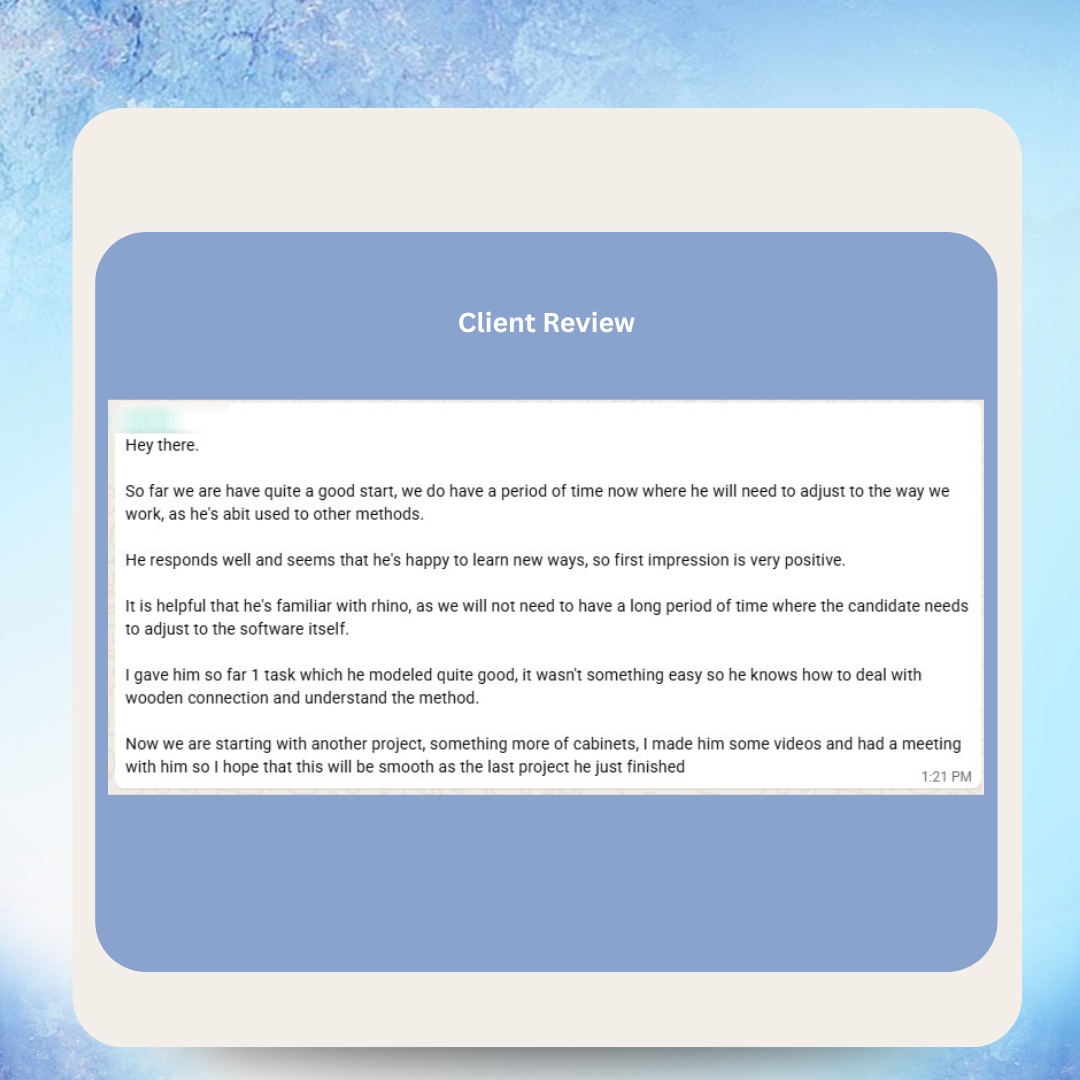
Real Messages from Real Clients


Happy VAs Deliver Better Results for Your Business
Operations and project management work requires consistent attention, systematic thinking, and genuine ownership of the systems your team depends on. At VA MASTERS, we invest in our VAs’ professional development and wellbeing because we know that a motivated, supported operations VA brings that same ownership and precision to your ClickUp workspace every single day.
Hear From Our VAs



As Featured In






Frequently Asked Questions
What does a ClickUp virtual assistant do?
A ClickUp virtual assistant builds, manages, and maintains your ClickUp workspace — creating project structures, managing daily tasks, building automation workflows, maintaining dashboards, writing SOPs in ClickUp Docs, and ensuring the workspace accurately reflects the state of your business at all times. Their core function is keeping ClickUp trustworthy and useful so your team actually uses it.
How much does a ClickUp virtual assistant cost?
VA MASTERS ClickUp VAs are priced at $8.50–$14/hr under our Administrative & Operations Support category. Full-time, that’s approximately $1,360–$2,240/month — compared to $4,500–$7,000/month for a local operations coordinator. The savings represent up to 80% vs. equivalent local staffing costs.
Can a ClickUp VA build a workspace from scratch?
Yes. Building a new workspace from scratch — designing the Space and Folder hierarchy, creating task statuses and custom fields, building project templates, setting up automations, and configuring dashboards — is a core ClickUp VA competency. Our skills test includes a workspace build exercise to confirm this capability before you meet any candidate.
Can a ClickUp VA migrate from another project management tool?
Yes. Most ClickUp VAs are experienced with migrating projects from Asana, Monday.com, Trello, Notion, or spreadsheets into ClickUp — including task structure mapping, custom field creation, and historical data import. A structured migration plan ensures work in progress isn’t lost and the new workspace reflects the correct current state from day one.
Can a ClickUp VA set up automations?
Yes. Building and maintaining ClickUp automations — status change triggers, assignment rules, due date reminders, recurring task creation, and notification routing — is a standard ClickUp VA capability. For more complex cross-tool automations connecting ClickUp to external platforms, most VAs are also proficient with Zapier or Make as the integration layer.
Is there an upfront fee to hire a ClickUp VA through VA MASTERS?
No. There are no setup fees, no recruitment fees, and no upfront payment required to begin. You sign the agreement, we recruit and present candidates, and you only proceed with payment after meeting and approving a candidate. The advance payment is fully refundable minus any hours worked.
How does a ClickUp VA keep the workspace current when team members don’t update their tasks?
A ClickUp VA monitors the workspace daily — identifying overdue tasks, stale statuses, and missing updates, then following up with the relevant team members. They also build automations that prompt task owners when deadlines approach or statuses go unchanged past a defined period. The VA is the system’s custodian — but ongoing adoption requires a team-level commitment to updating tasks, which leadership should reinforce as a baseline expectation.
Can a ClickUp VA create and maintain SOPs?
Yes. Building and maintaining process documentation in ClickUp Docs — standard operating procedures, onboarding guides, workflow references, and role-specific process docs — is a natural extension of the ClickUp VA role. Well-maintained Docs linked to relevant tasks create a knowledge base that reduces training time, improves consistency, and makes your operations genuinely scalable.
Can a ClickUp VA manage multiple teams or departments?
Yes. ClickUp’s multi-Space structure is designed for multi-team use, and many ClickUp VAs manage workspaces spanning engineering, marketing, client delivery, and operations simultaneously. For larger organizations with complex cross-functional workflows, full-time hours ensure the VA has bandwidth to maintain every department’s workspace to the same standard.
What happens if the ClickUp VA doesn’t work out?
VA MASTERS provides a replacement guarantee. If the VA isn’t meeting your performance expectations, we initiate a new recruitment process at no extra charge. Our support team also conducts regular check-ins and can proactively address workspace quality or performance issues.
Does a ClickUp VA need ClickUp administrator access?
For workspace setup and automation management, admin or owner-level access is required. For ongoing daily task management and reporting, member-level access with appropriate permissions is sufficient. We recommend starting with member-level access and expanding to admin permissions once you’ve established trust through the VA’s first weeks of work.
Can a ClickUp VA help our team adopt ClickUp more consistently?
Yes. A ClickUp VA drives adoption through a combination of workspace simplification (making ClickUp easier to use), automation (reducing the manual effort required to keep tasks current), and accountability follow-up (identifying and flagging non-adoption gaps). We also recommend a team walkthrough when the workspace is first set up or restructured — your VA can facilitate this orientation session to accelerate adoption across the team.
Can a ClickUp VA work alongside a project manager?
Yes. In many businesses, a ClickUp VA and a project manager work complementarily — the PM makes strategic project decisions and manages client or stakeholder relationships, while the VA handles the operational maintenance of the project management system. The VA handles the ClickUp administration; the PM handles the project leadership. This combination is particularly effective in agencies and consultancies managing multiple simultaneous client engagements.
How quickly can a ClickUp VA start managing our workspace?
VA MASTERS delivers pre-vetted candidates within 2 business days of your intake consultation. After candidate selection, workspace access setup and initial audit take 2–3 days. Most clients have their ClickUp VA actively managing tasks and building new project structures within one week of starting the process.
Can a ClickUp VA also support other project management tools?
Many ClickUp VAs are proficient with multiple project management platforms — Notion, Asana, Monday.com, and Trello — alongside ClickUp. If your team uses multiple tools or you’re evaluating a migration, tell us during your intake and we’ll screen for multi-platform experience specifically. See also our dedicated Notion VA and Monday.com VA pages for platform-specific details.
A ClickUp Workspace Your Team Actually Uses — Every Day
A dedicated ClickUp VA from VA MASTERS builds, maintains, and optimizes your ClickUp workspace so your team has a single source of truth for every project, task, and deadline in your business — at up to 80% less than a local operations hire.
- No recruitment fee — zero upfront cost to get started
- Hands-on ClickUp skills test — you only meet proven platform performers
- Candidates delivered within 2 business days
- $8.50–$14/hr — up to 80% savings vs. local operations coordinator
- Replacement guarantee — zero long-term hiring risk

Anne is the Operations Manager at VA MASTERS, a recruitment agency specializing in Filipino virtual assistants for global businesses. She leads the end-to-end recruitment process — from custom job briefs and skills testing to candidate delivery and ongoing VA management — and has personally overseen the placement of 1,000+ virtual assistants across industries including e-commerce, real estate, healthcare, fintech, digital marketing, and legal services.
With deep expertise in Philippine work culture, remote team integration, and business process optimization, Anne helps clients achieve up to 80% cost savings compared to local hiring while maintaining top-tier quality and performance.
Email: [email protected]
Telephone: +13127660301














