


Salesforce Virtual Assistant: CRM Administration & Data Management
A Salesforce virtual assistant handles the daily operations of your Salesforce CRM — from data cleanup and pipeline management to workflow automation and custom reporting — so your sales team can focus on closing deals instead of updating records. At VA MASTERS, we’ve placed 1,000+ virtual assistants across every major business platform, and Salesforce specialists are among the highest-impact roles we recruit for.
Salesforce is the world’s most powerful CRM, but it’s also one of the most complex. Without dedicated admin support, most businesses use a fraction of its capabilities. A dedicated Salesforce VA bridges that gap — turning your CRM from a data graveyard into the revenue-driving system it’s designed to be.
What Is a Salesforce Virtual Assistant?
A Salesforce virtual assistant is a remote professional who specializes in the day-to-day administration, maintenance, and optimization of your Salesforce CRM platform. They manage everything from user permissions and data integrity to workflow automation and custom reporting — essentially functioning as your dedicated Salesforce admin without the $90,000+ salary of a US-based hire.
Unlike a general VA who might update a few contact records, a Salesforce specialist understands the platform’s architecture. They navigate between Classic and Lightning interfaces, build Process Builder flows, configure custom objects, and create the dashboards your leadership team needs to make data-driven decisions.
The role is critical because Salesforce’s power comes with complexity. Companies invest $25-$300+ per user per month in Salesforce licenses, but without proper admin support, most teams use it as an expensive spreadsheet. A Salesforce VA ensures every feature you’re paying for actually works for your business.
Key Takeaway
A Salesforce VA isn’t a data entry clerk — they’re a platform specialist who understands objects, fields, relationships, automations, and security models. At VA MASTERS, we build custom Salesforce skills tests during our 6-stage recruitment process that include real tasks like Flow Builder automation, report creation, and data migration scenarios.
Core Tasks & Responsibilities of a Salesforce Virtual Assistant
A Salesforce VA’s responsibilities vary based on your org size, which Clouds you use, and how mature your Salesforce implementation is. Here’s the comprehensive scope:
CRM Data Management & Hygiene
This is the foundation that everything else in Salesforce depends on. Poor data quality means inaccurate reports, broken automations, and frustrated sales reps. Your VA keeps the data clean and reliable.
| Task | What It Involves | Business Impact |
|---|---|---|
| Record management | Creating, updating, and merging leads, contacts, accounts, and opportunities | Accurate customer data for sales and marketing |
| Duplicate management | Identifying and merging duplicate records using Salesforce’s matching rules or Data.com | Eliminates wasted outreach and inflated pipeline numbers |
| Data import/export | Using Data Loader or import wizards to bring in clean data with proper field mapping | New data enters the system accurately |
| Field & object customization | Creating custom fields, objects, page layouts, and record types tailored to your business | Salesforce reflects your actual business processes |
| Data quality monitoring | Running validation rules, setting required fields, and building data quality dashboards | Prevents garbage data from entering the system |
User Administration & Security
Salesforce security is built on layers — profiles, roles, permission sets, and sharing rules. Your VA manages this architecture to ensure the right people see the right data.
| Task | Details |
|---|---|
| User management | Creating accounts, resetting passwords, deactivating users, assigning profiles and roles |
| Permission management | Configuring profiles, permission sets, and field-level security to control data access |
| Role hierarchy | Building and maintaining the role hierarchy that governs data visibility across the org |
| Sharing rules | Setting up criteria-based and owner-based sharing rules for cross-team collaboration |
| Login monitoring | Reviewing login history and setup audit trails for security compliance |
Workflow Automation
Automation is where Salesforce truly earns its investment. Your VA builds the automations that eliminate manual work and ensure nothing falls through the cracks.
| Automation Type | Use Case Examples |
|---|---|
| Flow Builder | Auto-assign leads based on territory, create tasks when deals stall, send alerts when opportunities close |
| Process Builder | Update fields when records change, create related records automatically, post to Chatter |
| Approval processes | Multi-step discount approvals, contract sign-off chains, expense authorization flows |
| Email automation | Email templates, mass email campaigns, auto-response rules for web-to-lead forms |
| Assignment rules | Lead assignment, case assignment, and escalation rules based on criteria like region, deal size, or priority |
Reporting & Dashboards
Your Salesforce VA builds the reports and dashboards that give your leadership team real-time visibility into pipeline health, sales performance, and marketing ROI. This includes custom report types, cross-object reporting, joined reports, dynamic dashboards with filters, and scheduled report delivery to stakeholders.
A skilled Salesforce VA doesn’t just generate numbers — they identify trends, flag anomalies, and recommend actions based on the data patterns they observe.
See How VA MASTERS Finds Top CRM & Sales Specialists
Salesforce Clouds Your VA Can Manage
Salesforce isn’t a single product — it’s an ecosystem of specialized Clouds. The type of Salesforce VA you need depends on which Clouds your business uses.
Sales Cloud
The most common starting point. Your VA manages leads, contacts, accounts, opportunities, and the sales pipeline. They configure lead scoring, build sales forecasting reports, manage territories, and ensure your reps have clean, actionable data in every deal record. This is where most businesses see the fastest ROI from a dedicated Salesforce VA.
Service Cloud
For customer service teams, your VA manages the case management system, builds knowledge base articles, configures entitlement processes, monitors SLA compliance, and creates service dashboards. They ensure support tickets route correctly and that your team meets response time targets.
Marketing Cloud / Pardot (Account Engagement)
Your VA manages email campaigns, builds nurture journeys, configures lead scoring models, creates landing pages, and tracks campaign ROI. For companies using Pardot, they handle prospect management, engagement scoring, and the Salesforce-Pardot sync. If your marketing automation needs are primarily Pardot-based, check our dedicated Pardot virtual assistant page.
Experience Cloud (Communities)
If you run a partner portal or customer community, your VA manages user access, content updates, site navigation, and community engagement metrics. They ensure external stakeholders can self-serve effectively through your branded portal.
Revenue Cloud (CPQ & Billing)
For businesses with complex quoting needs, your VA manages product catalogs, pricing rules, quote templates, and billing workflows. They ensure quotes are generated accurately and orders flow through your revenue recognition process.
Not sure which Salesforce Clouds you need help with? During our free discovery call, we’ll map out your Salesforce org and match you with a VA who has specific experience in the Clouds that matter most to your business.
Skills & Qualifications to Look For in a Salesforce VA
Salesforce proficiency exists on a spectrum — from basic data entry to advanced admin work. Here’s what separates a capable Salesforce VA from someone who just knows how to navigate tabs:
Technical Skills (Must-Have)
| Skill | Why It Matters |
|---|---|
| Salesforce Classic & Lightning navigation | Many orgs still use Classic or a mix — the VA must be comfortable in both interfaces |
| Flow Builder / Process Builder | Essential for building automations that eliminate manual work and reduce errors |
| Report & dashboard creation | Building custom reports with filters, groupings, formulas, and cross-object data |
| Data Loader proficiency | For mass data imports, exports, updates, and deletes — critical for large-scale data operations |
| User & security management | Managing profiles, permission sets, roles, and sharing rules to maintain data access control |
| Custom objects & fields | Creating and configuring custom data structures that mirror your business processes |
| Salesforce certifications | Salesforce Administrator, Platform App Builder, or Cloud-specific certifications via Trailhead |
Soft Skills (Equally Critical)
Salesforce administration requires more than button-clicking. Your VA needs analytical thinking to diagnose data issues and workflow bugs, strong communication to translate business requirements into technical configurations, attention to detail for maintaining data integrity across thousands of records, proactive problem-solving to catch configuration drift before it impacts users, and the ability to document processes so your team isn’t dependent on tribal knowledge.
Pro Tip
At VA MASTERS, our custom skills test for Salesforce VA roles includes real-world scenarios: building a lead assignment flow, creating a multi-object report, configuring page layouts, and cleaning a sample dataset with duplicate records. This is how our 6-stage recruitment process narrows 1,000+ applicants to the 2-3 best candidates for your specific Salesforce org.
Benefits of Hiring a Salesforce Virtual Assistant
Here’s what our clients consistently experience after bringing on a dedicated Salesforce VA:
Stop Wasting Your Salesforce Investment
Salesforce Enterprise licenses cost $165/user/month. Most companies use maybe 30% of the platform’s capabilities because nobody has time to configure the other 70%. A dedicated VA ensures you get maximum ROI from every dollar spent on Salesforce licensing by actually building the automations, reports, and processes the platform was designed for.
Free Your Sales Team to Sell
Sales reps spend an average of 28% of their time on CRM data entry and admin tasks. That’s over 11 hours per week per rep that could be spent on pipeline-building activities. A Salesforce VA handles the data hygiene, activity logging, and report preparation so your reps focus on what they were hired to do — sell.
Clean Data Means Accurate Forecasting
Dirty CRM data leads to unreliable pipeline reports, missed forecasts, and poor strategic decisions. A Salesforce VA maintains ongoing data quality — deduplicating records, enforcing validation rules, and standardizing field values. The result: your leadership team can trust the numbers they see in dashboards.
Faster Response to Business Changes
Need a new lead source field? A modified approval process? An updated territory assignment? Instead of waiting weeks for a Salesforce consultant or overloading your IT team, your VA implements changes within hours. This agility keeps your CRM aligned with how your business actually operates.
Continuous Platform Optimization
Salesforce releases three major updates per year (Spring, Summer, Winter). Each brings new features, UI changes, and sometimes breaking changes. A dedicated VA monitors these releases, tests impacts on your org, and implements relevant new features — keeping you ahead of the curve instead of constantly catching up.
How Much Does a Salesforce Virtual Assistant Cost?
A Salesforce virtual assistant through VA MASTERS costs $8.50-$15.00 per hour, depending on the complexity of the role and the candidate’s certification level. This represents up to 80% savings compared to hiring a local Salesforce administrator.
Here’s how that compares to alternative Salesforce support options:
| Hiring Option | Typical Cost | Notes |
|---|---|---|
| US-based Salesforce admin (full-time) | $85,000-$120,000/year | Plus benefits, equipment, PTO, office space |
| Salesforce consulting partner | $150-$300/hour | Project-based, no daily operational support |
| Virtual Salesforce admin package (agencies) | $3,000-$8,000/month | Limited hours, shared across multiple clients |
| Freelance Salesforce admin | $50-$150/hour | Availability varies, no guaranteed commitment |
| VA MASTERS Salesforce VA | $8.50-$15/hour | Dedicated, full-time, ongoing admin support |
At $13/hour full-time (160 hours/month), your total cost is approximately $2,080/month for a dedicated Salesforce admin — less than most consulting retainers, yet with someone who learns your specific org, processes, and data model inside and out.
Without a Salesforce VA
- CRM cluttered with duplicates and stale records
- Sales reps avoid logging activities because it’s tedious
- Reports don’t match reality — nobody trusts the numbers
- Automations half-built or broken without anyone noticing
- New feature releases go ignored for months
- Paying $165+/user/month for an expensive contact list
With a VA MASTERS Salesforce VA
- Clean, deduplicated data with enforced validation rules
- Automated activity capture and streamlined data entry
- Real-time dashboards your leadership trusts for forecasting
- Workflows running smoothly with proper monitoring
- Each Salesforce release reviewed and relevant features adopted
- Full ROI from your Salesforce investment

Since working with VA Masters, my productivity as CTO at a fintech company has significantly improved. I no longer have to worry about scheduling or follow-ups — my VA handles all the operational details so I can focus on strategic decisions.
How to Hire a Salesforce Virtual Assistant with VA MASTERS
Salesforce is too complex for generic VA matching. Our 6-stage recruitment process is designed to verify real Salesforce skills before you ever meet a candidate.
Detailed Job Brief
We map your Salesforce org — which Clouds, how many users, current automation maturity, integrations, and the specific daily tasks your VA will own.
Candidate Collection
We source from our network of 1,000+ applicants, targeting candidates with verified Salesforce experience, Trailhead badges, and admin certifications.
Initial Screening
Internet speed, English proficiency, and Salesforce experience are verified. About 500 candidates typically pass this stage.
Custom Skills Test
We build a test mirroring your actual Salesforce tasks — Flow Builder automation, report creation, data cleanup, user management. 50-100 candidates pass.
In-Depth Interview
Culture fit, communication style, and problem-solving abilities are assessed. We look for VAs who can translate business needs into Salesforce solutions. 15-20 remain.
Client Interview
You meet the top 2-3 candidates, evaluate fit, and choose your Salesforce VA. We handle onboarding and provide ongoing support.
Need a Salesforce Admin Without the Six-Figure Salary?
We’ve placed hundreds of CRM specialists for businesses worldwide. Let’s find the right Salesforce VA for your org.
Get in Touch →Salesforce VA vs. HubSpot VA: Which Do You Need?
Both platforms are powerful CRMs, but they serve different needs. Here’s a quick comparison to help you decide which type of VA is right for your business:
| Factor | Salesforce VA | HubSpot VA |
|---|---|---|
| Best for | Enterprise-level sales orgs, complex data models, multi-cloud environments | SMBs focused on inbound marketing, content-driven sales, simpler CRM needs |
| Technical depth | Higher — custom objects, SOQL, Flow Builder, Apex triggers, security models | Moderate — workflow builder, smart lists, landing pages, email templates |
| Learning curve | Steeper — platform is highly customizable but complex | Gentler — intuitive interface with guided setup |
| Automation power | Enterprise-grade — Flow Builder, Process Builder, Apex, Einstein AI | Strong — workflows, sequences, chatbots, smart content |
| Typical hourly cost (VA MASTERS) | $9-$15/hr | $8.50-$15/hr |
If you’re running Salesforce, start with our Salesforce VA service. If you use HubSpot, check out our HubSpot virtual assistant page. Using both platforms? We can help you find a VA experienced in cross-CRM workflows, or recruit two specialized VAs for each platform.
Common Mistakes When Hiring a Salesforce VA
Mistake #1: Confusing Salesforce Admin with Salesforce Developer
Admin work (configuration, users, reports, automation) is different from development work (Apex code, Visualforce pages, Lightning components). A VA handles admin-level tasks. If you need custom code, you need a developer. Most businesses need admin support 90% of the time — start there before hiring developers.
Mistake #2: No Documentation of Your Current Setup
If your Salesforce org has years of accumulated customizations with no documentation, even a great VA will struggle. Before onboarding, create a basic map of your custom objects, key automations, and integration points. At VA MASTERS, we help you build this documentation during the onboarding process.
Mistake #3: Giving Full Admin Access on Day One
Start your VA with a permission set that covers their immediate tasks. Expand access as they demonstrate competence. This protects your data while building trust incrementally — which is Salesforce best practice regardless of who the admin is.
Mistake #4: Expecting Instant Mastery of Your Org
Every Salesforce implementation is different. Even certified admins need 3-6 weeks to understand your specific custom objects, naming conventions, automation logic, and business rules. Plan for structured onboarding with walkthroughs of your key processes.
Mistake #5: Not Investing in Trailhead Training
Salesforce’s free learning platform (Trailhead) is the best resource for ongoing skill development. Encourage your VA to complete trails relevant to your Clouds and use cases. Many VA MASTERS Salesforce VAs already have 100+ Trailhead badges before they start working with clients.
| Feature | VA MASTERS | Other VA Agencies |
|---|---|---|
| Custom Salesforce skills test | ✓ | ✗ |
| 6-stage recruitment process | ✓ | ✗ |
| Dedicated full-time VA (not shared) | ✓ | ✗ |
| Ongoing support & training | ✓ | ✗ |
| Replacement guarantee | ✓ | ✗ |
| No upfront fees | ✓ | ✗ |
| Candidates within 2 business days | ✓ | ✗ |
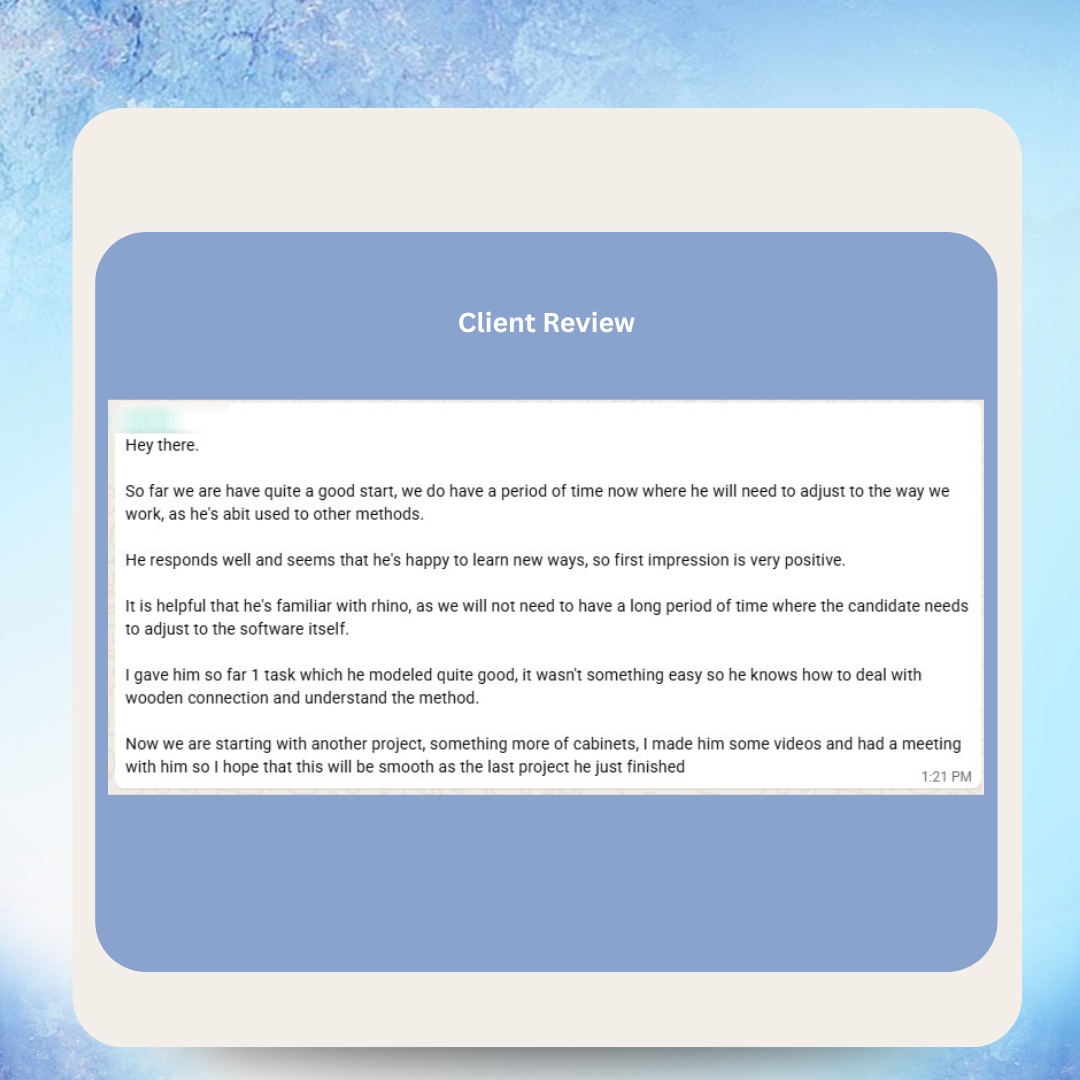
What Our Clients Say



Real Messages from Real Clients


Happy VAs Deliver Better Results for Your Business
When VAs love where they work, they go the extra mile for your business. Here’s what our team members say about working with VA MASTERS:



As Featured In








Frequently Asked Questions
What does a Salesforce virtual assistant do?
A Salesforce VA handles daily CRM administration including data management, user setup, workflow automation, report creation, pipeline management, and security configuration. They keep your Salesforce org clean, optimized, and aligned with your business processes — essentially serving as your dedicated remote Salesforce admin.
How much does a Salesforce virtual assistant cost?
Through VA MASTERS, a Salesforce VA costs $8.50-$15 per hour depending on experience and certification level. This is up to 80% less than a US-based Salesforce administrator, who typically earns $85,000-$120,000 annually. There are no upfront fees — you only pay once you’re satisfied with the candidate we present.
Does a Salesforce VA need to be Salesforce certified?
Certifications like Salesforce Administrator or Platform App Builder demonstrate solid platform knowledge, but hands-on experience matters more. At VA MASTERS, we test every Salesforce VA candidate with custom skills assessments that simulate real admin tasks — building flows, creating reports, managing data imports, and configuring security. We look for practical proficiency, not just credentials.
Can a Salesforce VA handle admin work and development?
A Salesforce VA handles admin-level configuration — custom objects, workflows, reports, user management, and declarative automation (Flow Builder, Process Builder). Development work (Apex code, Visualforce, Lightning Web Components) requires a Salesforce developer. Most businesses need admin support 90% of the time. If you need both, we can recruit for each role separately.
How quickly can I hire a Salesforce VA through VA MASTERS?
We typically present 2-3 pre-vetted candidates within 2 business days. Each candidate has already passed a custom Salesforce skills test tailored to your specific needs. Most clients have their VA onboarded and working within one week of starting the recruitment process.
What Salesforce Clouds can a VA manage?
Our Salesforce VAs can manage Sales Cloud (pipeline, leads, opportunities), Service Cloud (cases, knowledge base), Marketing Cloud/Pardot (campaigns, automation), Experience Cloud (communities), and Revenue Cloud (CPQ, billing). During our discovery call, we identify which Clouds you use and match you with a VA who has specific experience in those areas.
Can a Salesforce VA help with data migration?
Yes. Experienced Salesforce VAs can assist with data migration from other CRMs (HubSpot, Pipedrive, Zoho, Dynamics) or from spreadsheets. This includes field mapping, Data Loader operations, data transformation, deduplication, and post-migration validation. For complex migrations, we recommend working alongside a Salesforce implementation partner.
What if my Salesforce VA isn’t a good fit?
VA MASTERS provides a replacement guarantee. If your VA doesn’t meet your expectations for any reason, we immediately begin recruiting a replacement at no additional cost. Our thorough 6-stage vetting process means this rarely happens — our 98% client satisfaction rate speaks for itself.
How do I onboard a Salesforce VA securely?
Start with a custom permission set that grants access only to the objects and fields relevant to their role. Use IP restrictions and login hours to limit access times. Enable two-factor authentication. Then expand permissions incrementally as the VA demonstrates competence. This is standard Salesforce security best practice. VA MASTERS helps you set up proper access controls during the onboarding process.
Is a Salesforce VA better than a Salesforce consulting agency?
They serve different needs. A consulting agency provides strategic guidance and complex implementations at $150-$300/hour. A VA provides dedicated daily admin support at $8.50-$15/hour. Many businesses use both — an agency for quarterly strategy and implementation projects, and a VA for ongoing daily CRM management. The VA model is significantly more cost-effective for operational support.
What industries use Salesforce VAs most?
Salesforce is used across virtually every industry. VA MASTERS has placed Salesforce VAs for SaaS companies, financial services firms, real estate brokerages, healthcare organizations, manufacturing companies, and professional services firms. Any business with a Salesforce org benefits from dedicated admin support to keep the platform running efficiently.
Can a Salesforce VA integrate Salesforce with other tools?
Yes. Salesforce VAs commonly manage native integrations (Gmail, Outlook, Slack, DocuSign) and third-party connectors via Zapier, Make, MuleSoft, or custom API configurations. If your tech stack requires specific integrations, we include these in the custom skills test during recruitment to ensure your VA can handle them.
Ready to Unlock the Full Power of Your Salesforce Investment?
Stop paying enterprise CRM prices for spreadsheet-level usage. A dedicated Salesforce VA from VA MASTERS keeps your org clean, automated, and delivering real business intelligence — at up to 80% less than a local admin.
- No upfront payment required
- Pre-vetted candidates within 2 business days
- Custom Salesforce skills test for every candidate
- Ongoing support, training, and replacement guarantee

Anne is the Operations Manager at VA MASTERS, a boutique recruitment agency specializing in Filipino virtual assistants for global businesses. She leads the end-to-end recruitment process — from custom job briefs and skills testing to candidate delivery and ongoing VA management — and has personally overseen the placement of 1,000+ virtual assistants across industries including e-commerce, real estate, healthcare, fintech, digital marketing, and legal services.
With deep expertise in Philippine work culture, remote team integration, and business process optimization, Anne helps clients achieve up to 80% cost savings compared to local hiring while maintaining top-tier quality and performance.
Email: [email protected]
Telephone: +13127660301












