


Outsourcing vs Automation: When to Hire vs Use Software
Every growing business reaches the same inflection point: there is too much work for the current team to handle, and something has to change. The two most common solutions are hiring people to take over tasks (outsourcing) or implementing software to handle them automatically (automation). Both promise efficiency. Both promise cost savings. And both can fail spectacularly when applied to the wrong problem. The real question is not which approach is better in the abstract. It is which approach is better for each specific task, workflow, and business context you are dealing with right now.
The outsourcing-vs-automation debate has intensified as software tools become more capable and more affordable. Zapier, Make, HubSpot, QuickBooks, Hootsuite, Zendesk — there is an automation tool for virtually every business function. At the same time, the global outsourcing market continues to grow because businesses keep discovering that certain tasks simply cannot be reduced to rules a machine can follow. Customer empathy, creative judgment, strategic thinking, relationship management, and handling exceptions that fall outside predefined workflows — these require human intelligence that no software, regardless of how sophisticated, can replicate.
VA Masters has placed 1,000+ virtual assistants for businesses worldwide, and we have seen both sides of this equation play out hundreds of times. Companies that automate the right tasks and outsource the rest achieve up to 80% savings compared to handling everything in-house. Companies that automate tasks requiring human judgment end up with angry customers and broken processes. Companies that use humans for tasks a $20/month tool could handle waste money they could invest elsewhere. This guide will help you make the right call for every task in your business — when to hire, when to automate, and when to do both.
Fundamental Differences Between Outsourcing and Automation
Before comparing specific use cases, it is essential to understand what each approach actually does well and where each falls apart. Outsourcing and automation are not interchangeable — they solve fundamentally different types of problems.
What Software Automation Does
Software automation follows predefined rules to execute repetitive tasks without human intervention. It excels at high-volume, predictable work where the inputs and outputs are well-defined. Send a confirmation email when an order is placed. Move a lead to a new pipeline stage when they fill out a form. Generate an invoice on the first of every month. Calculate payroll based on logged hours. Sync data between two platforms. These are rule-based tasks — if X happens, do Y — and software handles them faster, more consistently, and more cheaply than any human can.
Automation operates 24/7 without breaks, vacations, or sick days. It does not make typos. It does not forget steps. It scales to virtually any volume without proportional cost increases. A Zapier workflow that sends 10 welcome emails per day costs the same as one that sends 10,000. This scalability is automation's greatest strength — once you build the workflow, the marginal cost of each additional execution approaches zero.
What Human Outsourcing Does
Human outsourcing brings judgment, creativity, empathy, and adaptability to tasks that cannot be reduced to simple rules. When a customer writes an angry email about a billing error that also involves a product defect and a delayed shipment, no automation workflow can navigate the emotional complexity, assess priorities, and craft a response that turns that customer into a loyal advocate. A skilled virtual assistant can. When your social media gets an unexpected PR crisis, no preset automation can evaluate the situation, adjust your brand's tone, and respond appropriately. A human can.
Outsourced professionals also handle tasks that require ongoing learning and contextual understanding. A digital marketing VA does not just execute campaigns — they observe what is working, adapt strategies based on results, spot emerging trends, and make creative decisions that improve performance over time. Software automation runs the same playbook until someone changes the rules. Humans continuously improve the playbook on their own.
The Key Distinction
The simplest way to think about it: automation handles the predictable. Humans handle the unpredictable. If you can write a complete flowchart for a task — every possible input mapped to a specific output with no ambiguity — that task is a candidate for automation. If the task requires interpretation, creativity, emotional intelligence, or judgment calls that depend on context, it requires a human. Most business processes contain both predictable and unpredictable elements, which is why the most effective approach is usually a combination of both.
Core Principle
Automation is best at handling volume and consistency for rule-based tasks. Humans are best at handling complexity and nuance for judgment-based tasks. The most cost-effective businesses do not choose one over the other — they use automation for the predictable up to 80% of each process and outsource the remaining 30-40% that requires human intelligence. This combination delivers better results than either approach alone at a fraction of the cost of doing everything manually.
When Software Automation Is the Right Choice
Certain categories of work are so clearly suited to automation that using humans for them is simply wasting money. Here are the indicators that a task should be automated.
High Volume, Low Complexity Tasks
Any task that happens hundreds or thousands of times per day with minimal variation should be automated. Examples include sending order confirmations, updating CRM records based on form submissions, syncing inventory across platforms, routing support tickets to the right department based on keywords, generating recurring reports from database queries, and backing up files on a schedule. These tasks do not benefit from human judgment — they benefit from speed and consistency, which machines deliver better than people.
Data Transfer and Synchronization
Moving data between systems is one of the most common business time-wasters. When a new customer signs up on your website, their information needs to appear in your CRM, email marketing platform, accounting software, and project management tool. Doing this manually invites errors and delays. Tools like Zapier, Make (formerly Integromat), and native platform integrations handle this instantly and perfectly every time. A VA's time is better spent on tasks that actually require human thinking.
Scheduled and Triggered Communications
Email sequences, SMS reminders, follow-up messages, renewal notices, and appointment confirmations all follow predictable patterns. Marketing automation platforms like HubSpot, Mailchimp, and ActiveCampaign handle these workflows at scale. Set up the sequence once, and it runs for every customer without ongoing human effort. The content itself may need a human to write initially, but the delivery and timing should be automated.
Financial Calculations and Reporting
Payroll calculations, tax computations, invoice generation, expense categorization, and financial reporting follow strict rules. Software like QuickBooks, Xero, and Gusto handles these calculations more accurately than humans and generates reports automatically. While you still need a human to review the output, interpret the numbers, and make strategic decisions based on the data, the computation and formatting are pure automation territory.
Monitoring and Alerts
Website uptime monitoring, inventory threshold alerts, price change notifications, social media mention tracking, and competitor activity monitoring are tasks where software vastly outperforms humans. No person can watch 50 data sources continuously — software can, and it never gets distracted or falls asleep. Set up alerts for the conditions that matter, and have humans respond to those alerts with appropriate action.
When Human Outsourcing Is the Right Choice
Despite the growing capabilities of automation, there are entire categories of work where human outsourcing is not just preferable — it is the only viable option. Here is when you need people instead of software.
Customer-Facing Communication
Anytime a real human is on the other end of a conversation, you want a real human on your end too. Customer service outsourcing remains one of the highest-ROI investments a business can make because customers can tell the difference between a canned automated response and a genuine human interaction. Complex complaints, escalations, negotiations, relationship building, and any situation where empathy and active listening matter — these all require people. Chatbots can handle simple FAQ-type queries, but the moment a conversation goes beyond the script, you need a human.
Creative Work and Content Creation
While AI tools can generate drafts and assist with content production, creating content that genuinely resonates with your audience requires human creativity, brand understanding, and editorial judgment. Blog posts that rank well need original insights, not regurgitated information. Social media content that drives engagement needs cultural awareness and authentic voice. Marketing copy that converts needs persuasion skills that understand human psychology. A VA using AI tools as an accelerator produces far better creative work than any fully automated content pipeline.
Strategic Research and Analysis
Software can collect data. Humans turn data into insight. When you need market research, competitive analysis, vendor evaluation, or strategic planning support, you need someone who can synthesize information from multiple sources, identify patterns that are not obvious, apply business context, and present findings in a way that drives decision-making. Automated research tools can gather the raw material, but a human analyst transforms that material into actionable intelligence.
Process Management and Coordination
Managing workflows across teams, following up on deliverables, ensuring quality standards are met, coordinating between departments, and keeping projects on track all require human judgment and interpersonal skills. Project management software like Asana or Monday.com provides the infrastructure, but someone needs to manage the people using that infrastructure — escalating blockers, adjusting priorities, and making the judgment calls that keep work moving forward.
Exception Handling
Every automated system generates exceptions — cases that fall outside the predefined rules. A payment fails for an unusual reason. A customer requests something your system was not designed to handle. A supplier sends an invoice in an unexpected format. These exceptions are where automation breaks down and human intelligence takes over. The more complex your business, the more exceptions you generate, and the more you need skilled humans to handle them. A VA trained on your processes can resolve exceptions that would otherwise pile up as unresolved tickets in your automation queue.
Pro Tip
Track your automation exceptions for 30 days before deciding how to handle them. If the same type of exception occurs repeatedly, build a new automation rule for it. If exceptions are varied and unpredictable, assign a VA to handle them. Most businesses find that 80% of exceptions fall into 5-10 categories that can eventually be automated, while the remaining 20% truly require human judgment. This iterative approach continuously improves your automation while keeping a human in the loop for genuine edge cases.
The Hybrid Approach: Humans and Software Together
The most sophisticated and cost-effective operations do not choose between outsourcing and automation — they combine both into integrated workflows where each handles what it does best. Here is how the hybrid approach works in practice.
Automation Handles the Routine, Humans Handle the Exceptions
Consider an e-commerce customer service workflow. Automation handles order confirmation emails, shipping notifications, delivery updates, and satisfaction surveys — accounting for up to 80% of all customer communications. The remaining 30-40% — complaints, returns, product questions, and custom requests — routes to a customer service VA who resolves them with empathy and judgment. The VA is not wasting time on communications that software handles perfectly, and the customer gets a human when they actually need one.
Software Collects, Humans Analyze
Automated tools scrape competitor pricing, aggregate social media mentions, compile Google Analytics data, and generate raw reports. Your VA reviews these reports, identifies meaningful trends, interprets the data in business context, and presents recommendations. The VA spends zero time on data collection (automation is faster and more comprehensive) and 100% of their time on the analysis and strategy that creates value.
Automation Scales, Humans Personalize
Email marketing is the perfect example. Automation manages the list segmentation, send timing, A/B testing, and performance tracking. Your VA writes the email copy, designs the creative, monitors engagement patterns, and adjusts the strategy based on what the data reveals. The automation platform handles the mechanics of reaching 50,000 subscribers. The VA ensures the content is worth reading.
Humans Design, Automation Executes
Your VA designs the customer onboarding sequence — deciding what information to collect, what welcome messages to send, what training materials to share, and when to schedule the first check-in. Then they build this sequence in your automation platform so it executes consistently for every new customer. The human intelligence goes into the design. The automation goes into the execution. When the VA notices that customers are dropping off at step 3, they redesign that step and update the automation.
Function-by-Function Breakdown
Here is a practical comparison of outsourcing vs automation for the most common business functions.
Customer Service
Automate: FAQ chatbots, ticket routing, canned responses for common questions, satisfaction surveys, SLA monitoring, and ticket escalation rules. Outsource: Complex complaints, emotional customers, multi-issue tickets, VIP customer management, upselling and cross-selling conversations, and any interaction requiring negotiation or creative problem-solving. Estimated split: 40% automation, 60% human.
Accounting and Bookkeeping
Automate: Invoice generation, payment reminders, bank reconciliation, expense categorization using rules, recurring billing, and standard financial report generation. Outsource: Complex transaction classification, month-end close procedures, financial analysis and forecasting, vendor negotiations, tax planning support, and audit preparation. An outsourced bookkeeper handles the judgment calls that accounting software cannot make. Estimated split: 50% automation, 50% human.
Digital Marketing
Automate: Email sequence delivery, social media scheduling, ad bid management, A/B test execution, lead scoring, and campaign performance reporting. Outsource: Content creation, campaign strategy, creative direction, audience research, brand voice management, community engagement, and performance analysis. Estimated split: 35% automation, 65% human.
E-commerce Operations
Automate: Inventory syncing across channels, order processing, shipping label generation, price updates, stock alerts, and review request emails. Outsource: Product listing optimization, customer inquiries, return processing with judgment calls, supplier communication, catalog management, and marketplace strategy. Estimated split: 55% automation, 45% human.
Human Resources and Recruitment
Automate: Job posting distribution, application tracking, interview scheduling, offer letter generation, onboarding document delivery, and payroll processing. Outsource: Resume screening with contextual evaluation, candidate sourcing, interview coordination, culture fit assessment, employee relations, and HR administration that requires judgment. Estimated split: 40% automation, 60% human.
IT Support
Automate: Password resets, software deployment, system monitoring, backup verification, patch management, and ticket routing. Outsource: Troubleshooting complex issues, user training, system configuration, security incident response, vendor management, and infrastructure planning. Estimated split: 45% automation, 55% human.
See What Our Clients Have to Say
Real Cost Comparison: Hiring vs Software
Understanding the true cost of each approach requires looking beyond the sticker price. Here is an honest comparison.
Software Automation Costs
Basic automation tools (Zapier, Make, Mailchimp free tier) cost $0-50/month. Mid-range tools (HubSpot Starter, QuickBooks, Hootsuite) cost $50-300/month. Enterprise tools (Salesforce, HubSpot Enterprise, NetSuite) cost $300-3,000+/month. But the sticker price is only part of the story. Add implementation time (10-100+ hours depending on complexity), integration costs (custom integrations between platforms), ongoing maintenance (workflows break when APIs change), and the opportunity cost of automation failures that go undetected. A "simple" automation setup often costs $2,000-10,000 in total first-year investment when you account for the time spent building, testing, and maintaining it.
Outsourcing Costs
A Filipino virtual assistant through VA Masters costs $8-15/hour depending on skill level and specialization. For a full-time VA (160 hours/month), that translates to $1,280-2,400/month. This includes human judgment, adaptability, continuous learning, exception handling, and the ability to manage tasks that no software can automate. There is no implementation cost beyond onboarding and training (typically 1-2 weeks). There is no maintenance cost — the VA maintains their own skills. And there is no failure risk — if something goes wrong, the VA identifies and corrects it instead of silently propagating errors.
The Real Math
Consider a specific scenario: managing customer service for an e-commerce business receiving 200 support tickets per day. Full automation approach: Zendesk ($89/month) + chatbot ($200/month) + custom integrations ($5,000 setup) = ~$3,500 first year. Handles 60% of tickets adequately. The other 40% (80 tickets/day) get poor automated responses, leading to customer churn. Full outsourcing approach: 3 customer service VAs at $1,800/month each = $5,400/month, $64,800/year. Handles 100% of tickets with human quality but at higher cost. Hybrid approach: Zendesk + chatbot ($289/month) handles 60% of tickets. 1.5 VAs ($2,700/month) handle the 40% requiring human judgment. Total: ~$35,870/year. Better customer satisfaction than full automation, 45% cheaper than full outsourcing.
The hybrid approach wins on cost and quality in almost every scenario. The key is getting the split right — automating the tasks where software genuinely performs as well as or better than humans, and assigning humans to the tasks where their judgment creates measurable value.
VA Masters helps clients design the optimal automation-outsourcing split for their specific business. During our consultation process, we analyze your current workflows, identify which tasks to automate and which to outsource, and recommend the right VA skill set to complement your existing or planned automation stack. This ensures you are not paying for human time on tasks software handles better, and not trusting software with tasks that need human intelligence.
The Decision Framework: 5 Questions to Ask
For any task you are considering automating or outsourcing, ask these five questions. The answers will point you to the right approach.
Question 1: Is the Task Rule-Based or Judgment-Based?
If you can document the task as a complete set of if-then rules with no ambiguity, automate it. If the task requires interpretation, context, creativity, or decisions that depend on factors you cannot fully enumerate in advance, outsource it. Most tasks are a mix — automate the rule-based components and outsource the judgment-based components.
Question 2: What Happens When It Goes Wrong?
Automation fails silently. When a Zapier workflow breaks because an API changed, it does not send you an alert — it just stops working. When an automated email sends with a broken link, it reaches thousands of customers before anyone notices. If the consequences of failure are low (an internal notification does not send), automate freely. If the consequences of failure are high (a customer receives incorrect billing information), add human oversight. The higher the stakes, the more you need human eyes on the process.
Question 3: How Often Does the Task Change?
Automation works best for stable, unchanging processes. If the task is the same today as it was six months ago and will be the same six months from now, automate it once and forget about it. If the task evolves regularly — changing customer expectations, shifting market conditions, evolving product offerings — you need a human who adapts naturally. Rebuilding automation workflows every time something changes is expensive and error-prone.
Question 4: Does Volume Justify Automation?
Building an automation workflow takes time — anywhere from 30 minutes for a simple Zapier zap to hundreds of hours for a complex multi-platform integration. If a task happens 5 times per day, a 10-hour automation investment pays for itself in weeks. If a task happens 5 times per month, that same investment takes years to break even. For low-volume tasks, a VA is more cost-effective because there is no setup cost — they just do the work.
Question 5: Is There a Human on the Other End?
If the output of the task goes directly to a customer, partner, candidate, or any human who will form an opinion about your business based on the interaction, lean toward human execution. People notice when they are talking to a bot. They notice when an email feels automated. They notice when a response does not actually address their specific question. Every automated customer-facing interaction is a small gamble with your brand reputation. Every human interaction is an opportunity to build trust.
Common Pitfall
The biggest mistake businesses make is automating customer-facing processes too aggressively to save money. The short-term savings are real — but the long-term cost of customer churn, negative reviews, and damaged brand perception often exceeds what you saved. Research consistently shows that 75% of customers prefer interacting with a human for anything beyond the simplest queries. Automate your back-office processes aggressively. Automate your customer-facing processes cautiously.
Common Mistakes Companies Make
After working with hundreds of businesses on their outsourcing and automation strategies, we have identified the mistakes that come up repeatedly.
Mistake 1: Automating Before Understanding the Process
Many businesses rush to automate processes they have not fully mapped and understood. They implement a workflow based on how they think the process works, only to discover edge cases, exceptions, and variations that the automation cannot handle. Before automating anything, have a human (ideally a VA) perform the task manually for 2-4 weeks. Document every step, every variation, and every exception. Then automate the standard path and assign the VA to handle the exceptions. This approach avoids the costly cycle of building automation, discovering it does not work, rebuilding, and discovering new problems.
Mistake 2: Choosing Automation Because It Feels Modern
There is a bias toward automation that comes from tech culture — a feeling that using software is more "advanced" than using people. This bias leads companies to spend $50,000 on a CRM implementation when a $2,000/month VA with a spreadsheet would deliver better results for their specific situation. The right tool is the one that solves the problem most effectively and cost-efficiently, regardless of whether it is a person or a platform. A Filipino VA using Google Sheets can outperform a misconfigured Salesforce instance every day of the week.
Mistake 3: Over-Outsourcing Repetitive Tasks
The opposite mistake is equally costly. Some businesses hire VAs to do work that a simple automation could handle — manually copying data between systems, sending templated emails one at a time, or generating reports by pulling numbers from dashboards into spreadsheets. This wastes your VA's talent and your money. Free your VA from robotic tasks by automating them, and redirect that human capacity toward work where their judgment and creativity create real value.
Mistake 4: Not Integrating the Two Approaches
Many businesses treat outsourcing and automation as separate initiatives managed by different people. The automation team builds workflows without considering the human role. The outsourcing team hires VAs without considering what automation already handles or could handle. The result is duplicated effort, gaps in coverage, and a disjointed operation. The most effective approach is designing integrated workflows from the start — mapping each process, identifying which steps to automate and which to outsource, and building seamless handoffs between software and people.
Mistake 5: Set-and-Forget Mentality
Both automation and outsourcing require ongoing optimization. Automation workflows need maintenance as platforms update their APIs, your business processes evolve, and new tools become available. VAs need updated training, process documentation, and performance feedback to continuously improve. Companies that build a system and then neglect it see performance degrade over time. Schedule quarterly reviews of your automation workflows and your VA's task allocation to ensure both remain optimized.
Scaling Considerations
The right balance between outsourcing and automation changes as your business grows. Here is how to think about scaling.
Startup Stage (1-10 Employees)
At this stage, automation should focus on eliminating the most time-consuming repetitive tasks — email sequences, invoicing, lead capture, and data sync. One or two VAs handle everything else that the founders do not need to do personally. Keep the tech stack simple. Over-engineering automation at this stage wastes time you do not have. A remote team guide can help you think through the right structure.
Growth Stage (10-50 Employees)
This is where the hybrid approach becomes critical. Volume increases make automation investments pay off faster, while increasing complexity creates more exceptions that need human handling. Build department-specific automation workflows (marketing automation, sales CRM workflows, accounting automation) and assign specialized VAs to manage each department's exceptions and judgment-based tasks. The ratio typically shifts toward more automation as you standardize processes.
Scale Stage (50+ Employees)
At scale, your automation infrastructure should handle the vast majority of routine operations, with outsourced teams providing specialized support, quality oversight, and exception management. You may have dedicated VAs who function as automation managers — monitoring automated workflows, handling exceptions, and continuously optimizing the systems. The VA role evolves from task executor to systems manager.
Outsourcing Pricing and Investment
When the decision framework points to outsourcing — for tasks requiring judgment, creativity, customer interaction, or exception handling — here is what the investment looks like with VA Masters.
This rate includes the VA's full compensation, our recruitment and vetting process (6 stages including skills testing, English proficiency evaluation, and work sample assessment), ongoing support, and a replacement guarantee if the match is not right. Compare this to US-based employees at $25-75/hour, and you are looking at up to 80% savings. Compare it to automation tools that cost $200-3,000/month but still need human oversight, and the VA often delivers better results at a comparable or lower total cost.
The smart approach is to calculate your total workflow cost — automation tools plus the human time needed to manage them — and compare it to a VA handling the entire workflow. For many processes, especially those with frequent exceptions or evolving requirements, the VA-only approach is actually cheaper than the automation approach once you factor in setup, maintenance, and the cost of automation failures. For high-volume, stable processes, the automation-plus-VA hybrid is the clear winner.

Working with VA Masters to find Jane for our fashion e-commerce business saved us countless hours of recruitment time. They understood exactly what our brand needed and matched us with the perfect candidate on the first try. Jane expertly handles our customer service, website updates, and social media, which allows me to focus on product design and brand development. What impresses me most is how quickly she grasped our unique combination of style and comfort, effectively communicating this to our customers. The recruitment process that would have taken weeks of my time was handled efficiently, letting me stay focused on growing the business. For any fashion entrepreneur looking to find talented support without the hiring headache, I couldn't recommend VA Masters more highly.
Detailed Job Posting
Custom job description tailored to your specific needs and requirements.
Candidate Collection
1,000+ applications per role from our extensive talent network.
Initial Screening
Internet speed, English proficiency, and experience verification.
Custom Skills Test
Real job task simulation designed specifically for your role.
In-Depth Interview
Culture fit assessment and communication evaluation.
Client Interview
We present 2-3 top candidates for your final selection.
Have Questions or Ready to Get Started?
Our team is ready to help you find the perfect match.
Get in Touch →Implementation Roadmap
Here is a practical plan for implementing the right mix of outsourcing and automation in your business.
Week 1-2: Audit and Map
List every recurring task in your business. For each task, document the current owner, time spent per week, frequency, complexity level, error consequences, and whether it is rule-based or judgment-based. This audit is the foundation — you cannot optimize what you have not mapped.
Week 3-4: Categorize and Prioritize
Sort tasks into three buckets: Automate (rule-based, high-volume, low-stakes), Outsource (judgment-based, customer-facing, complex), and Hybrid (contains both rule-based and judgment-based elements). Prioritize by impact — start with the tasks consuming the most time or causing the most problems.
Month 2: Implement Quick Wins
Set up basic automation for the clearest automation candidates — email sequences, data syncing, simple notifications. Simultaneously, hire your first VA to take over the clearest outsourcing candidates. Quick wins build momentum and free up capacity for more complex optimizations.
Month 3-4: Build Hybrid Workflows
Design integrated workflows for processes that need both automation and human input. Build the automation components and train your VA on their role within each workflow. Test thoroughly before going live — hybrid workflows are more complex and have more potential failure points than pure automation or pure outsourcing.
Month 5+: Optimize and Expand
Review performance data from your automated and outsourced processes. Identify bottlenecks, error patterns, and optimization opportunities. Expand automation to handle newly identified rule-based tasks. Shift VA capacity toward higher-value judgment-based work. This optimization cycle should repeat quarterly.
The Bottom Line
The outsourcing-vs-automation debate is a false choice. The businesses that win are the ones that recognize each approach's strengths and deploy them accordingly. Automate the predictable. Outsource the complex. Integrate both into seamless workflows. And continuously optimize the balance as your business evolves, technology improves, and new opportunities emerge. The result is an operation that is more efficient, more resilient, and more cost-effective than either approach could deliver alone.
| Feature | VA MASTERS | Others |
|---|---|---|
| Custom Skills Testing | ✓ | ✗ |
| Dedicated Account Manager | ✓ | ✗ |
| Ongoing Training & Support | ✓ | ✗ |
| SOP Development | ✓ | ✗ |
| Replacement Guarantee | ✓ | ~ |
| Performance Reviews | ✓ | ✗ |
| No Upfront Fees | ✓ | ✗ |
| Transparent Pricing | ✓ | ~ |
What Our Clients Say



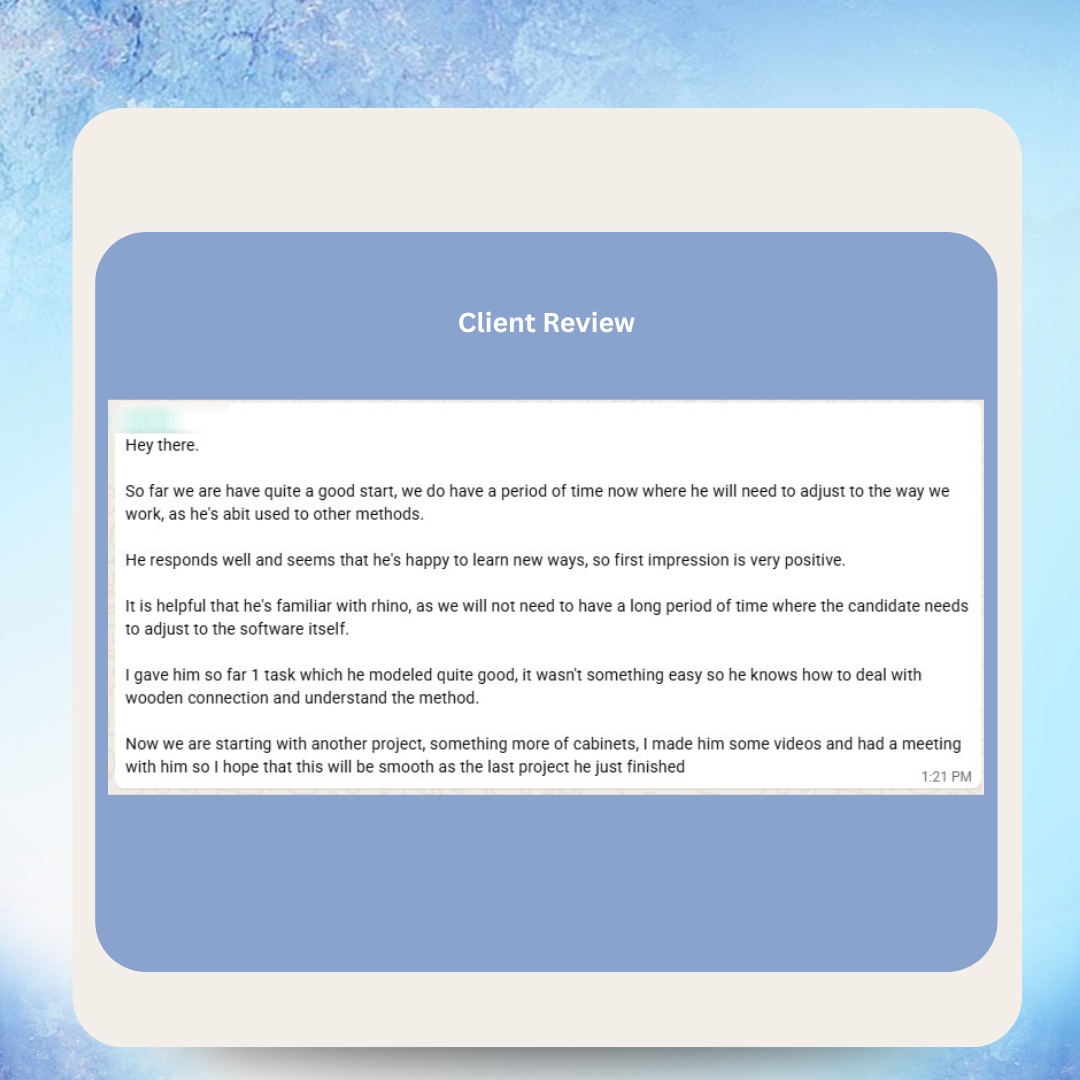
Real Messages from Real Clients


Hear From Our VAs



As Featured In






Frequently Asked Questions
Is it cheaper to automate or outsource?
It depends on the task. For high-volume, rule-based tasks like data syncing and email sequences, automation is cheaper — often $20-100/month vs. hours of human time. For judgment-based tasks like customer service and content creation, outsourcing to a Filipino VA at $8-15/hour is cheaper than building and maintaining automation that cannot handle the complexity. The most cost-effective approach is usually a hybrid: automate the rule-based components and outsource the judgment-based components, achieving up to 80% savings compared to doing everything in-house.
Can automation replace virtual assistants entirely?
No. Automation handles rule-based, predictable tasks excellently but cannot replicate human judgment, creativity, empathy, or adaptability. Customer interactions, strategic analysis, content creation, exception handling, and relationship management all require human intelligence. The trend is toward AI-powered VAs who use automation tools to multiply their productivity — not automation replacing VAs. VA Masters has placed 1,000+ VAs and consistently sees the highest ROI from clients who combine automation tools with skilled human assistants.
What tasks should I automate first?
Start with the tasks that are highest volume, most repetitive, and lowest risk. Email sequences, data syncing between platforms, invoice generation, appointment reminders, and CRM updates are excellent first automation targets. These tasks are clearly rule-based, have well-defined inputs and outputs, and the consequences of occasional errors are manageable. Avoid automating customer-facing processes or complex workflows until you have experience with simpler automations.
What tasks should I outsource first?
Start with the tasks consuming the most founder or senior team time that do not require your specific expertise. Email management, calendar coordination, customer service, social media management, bookkeeping, and research are common first outsourcing targets. These tasks are time-intensive, benefit from dedicated attention, and are straightforward to delegate with proper training. A general VA can handle most of these from day one.
How do I know if a task is too complex for automation?
Ask three questions: Can I write a complete if-then flowchart covering every possible scenario? Will the task remain unchanged for at least 6 months? Are the consequences of automation errors acceptable? If you answer no to any of these, the task likely needs human involvement. A practical test is to have a VA perform the task for 2-4 weeks and document every decision point. If the documentation reveals frequent judgment calls, edge cases, or contextual decisions, keep a human in the loop.
What is the best way to combine automation and outsourcing?
Design integrated workflows where automation handles the predictable, high-volume steps and your VA handles the judgment-based steps. For example, in customer service: automation routes and categorizes tickets, your VA resolves the complex ones. In marketing: automation schedules and distributes content, your VA creates and optimizes it. The key is seamless handoffs — your VA should know exactly when and how automation feeds work to them, and automation should capture the output of your VA's work for downstream processing.
How much does a typical automation setup cost?
Basic automation using tools like Zapier or Make costs $20-100/month plus 10-40 hours of setup time. Mid-range automation using platforms like HubSpot or Salesforce costs $100-500/month plus 40-200 hours of implementation. Enterprise automation with custom integrations can cost $1,000-10,000+/month with hundreds of hours of development. Factor in ongoing maintenance (5-10 hours/month for mid-range setups) and the time cost of troubleshooting when workflows break. Compare total cost honestly against the cost of a VA handling the same work.
What happens when automation breaks?
Automation fails silently in most cases — workflows stop running without sending alerts, or they execute incorrectly and propagate errors downstream. This is one of automation's biggest risks. Mitigation strategies include setting up monitoring alerts, running periodic audits of automated workflows, and having a VA who reviews automation output regularly. VA Masters clients often assign their VA to serve as the automation oversight layer — checking that workflows are running correctly and catching errors before they reach customers.
Can a virtual assistant manage my automation tools?
Yes, and this is one of the most effective hybrid approaches. A VA with experience in tools like Zapier, Make, HubSpot, or Mailchimp can build simple automations, monitor existing workflows, troubleshoot issues, and optimize performance. They become the human manager of your automation infrastructure — designing workflows, handling exceptions, and continuously improving the system. VA Masters can match you with VAs who have specific automation tool experience.
How do I measure whether outsourcing or automation is working better?
Track four metrics for each process: cost per task completion, error rate, time to completion, and customer satisfaction (for customer-facing processes). Compare these metrics between your automated and outsourced processes. Also track automation maintenance time — the hours spent fixing, updating, and troubleshooting automated workflows. Many businesses discover that their 'automated' processes have hidden human costs that make them more expensive than they appear when measured honestly.
Ready to Get Started?
Join 500+ businesses who trust VA Masters with their teams.
- No upfront payment required
- No setup fees
- Only pay when you are 100% satisfied with your VA

Anne is the Operations Manager at VA MASTERS, a recruitment agency specializing in Filipino virtual assistants for global businesses. She leads the end-to-end recruitment process — from custom job briefs and skills testing to candidate delivery and ongoing VA management — and has personally overseen the placement of 1,000+ virtual assistants across industries including e-commerce, real estate, healthcare, fintech, digital marketing, and legal services.
With deep expertise in Philippine work culture, remote team integration, and business process optimization, Anne helps clients achieve up to 80% cost savings compared to local hiring while maintaining top-tier quality and performance.
Email: [email protected]
Telephone: +13127660301














